


Amazon Web Services (AWS) is a cloud computing platform developed by Amazon that enables businesses, developers, startups, and government organizations to access computing resources over the internet without investing in expensive physical infrastructure. Instead of purchasing and maintaining servers, networking equipment, and storage devices, organizations can rent these resources on demand and pay only for what they use.
Today, AWS is widely recognized as one of the leading cloud platforms in the world, offering hundreds of services that support everything from website hosting and application development to artificial intelligence (AI), machine learning (ML), big data analytics, Internet of Things (IoT), and enterprise software.
AWS primarily offers Infrastructure as a Service (IaaS), but it also includes Platform as a Service (PaaS) and Software as a Service (SaaS) solutions. If you’re unsure how these cloud models differ, read our guide on IaaS vs PaaS vs SaaS: Choosing the Right Cloud Model for Your Business.
Cloud computing has fundamentally changed how organizations build and scale technology. Whether you’re launching your first startup or managing enterprise applications across multiple countries, AWS provides the flexibility, security, and scalability needed to grow without worrying about hardware limitations.
From my experience as a technology writer and while helping clients understand cloud migrations, I’ve noticed that AWS significantly reduces the time required to deploy infrastructure compared to traditional on-premises environments. During one project, a client was able to launch development servers in less than an hour—something that previously took several days due to hardware procurement and configuration. Planning the architecture before deployment also helped avoid unnecessary costs, reinforcing how important proper cloud design is from the beginning.
The History of AWS
Amazon officially launched Amazon Web Services in 2006 after recognizing that the infrastructure built to support its own e-commerce business could also serve external organizations. Rather than keeping its robust computing platform exclusively for internal operations, Amazon transformed it into a commercial cloud service that developers and businesses could access on demand.
Initially, AWS introduced relatively simple services, including cloud storage and virtual servers. These services quickly gained popularity because they allowed developers to launch applications without purchasing expensive hardware or managing physical data centers.
Over time, AWS expanded into a comprehensive cloud ecosystem by introducing managed databases, serverless computing, analytics platforms, AI and machine learning services, security solutions, edge computing, and developer tools. Today, organizations ranging from small startups to Fortune 500 companies rely on AWS to operate business-critical applications.
How AWS Works
AWS delivers computing resources through a global network of highly secure data centers. Users can provision virtual servers, storage systems, databases, networking resources, and AI services through a web-based management console, command-line interface (CLI), or APIs.
Instead of waiting weeks or months to purchase and install physical hardware, businesses can launch cloud resources within minutes. This flexibility allows organizations to respond quickly to changing customer demands while paying only for the resources they consume.
One of AWS’s biggest advantages is elasticity. Businesses can automatically increase computing capacity during periods of high traffic and reduce it when demand falls, helping optimize performance while controlling costs.
AWS Global Infrastructure
Amazon Web Services manages one of the biggest and most extensive cloud networks globally. Its infrastructure is organized into three primary components:
AWS Regions
Regions are separate geographic areas where AWS hosts multiple data centers. Organizations can choose the region closest to their customers to reduce latency while meeting local data residency requirements.
Availability Zones
Each AWS Region contains multiple Availability Zones. Every Availability Zone consists of one or more physically separate data centers connected through high-speed networking.
This design improves fault tolerance. If one Availability Zone experiences an outage, applications configured across multiple zones can continue operating with minimal disruption.
Edge Locations
AWS also maintains hundreds of Edge Locations worldwide through Amazon CloudFront. These locations cache content closer to end users, reducing loading times for websites, videos, APIs, and other online services.
AWS Pricing Model
One of AWS’s most attractive features is its flexible pricing structure. Unlike traditional IT infrastructure, AWS generally follows a pay-as-you-go model, meaning customers only pay for the services they actually use.
Several pricing options are available depending on workload requirements:
- With On-Demand Instances, you pay only for the time you use, hourly or even by the second, without locking into a contract.
- Reserved Instances: Commit to longer usage periods in exchange for lower pricing.
- Savings Plans: Flexible pricing discounts based on consistent resource usage.
- Spot Instances: Purchase unused AWS capacity at significantly reduced prices for workloads that can tolerate interruptions.
Choosing the right pricing model can significantly reduce cloud costs, especially for businesses running predictable workloads.
Core AWS Services
AWS offers more than 200 cloud services. While every organization uses different combinations of services, several products form the foundation of most AWS environments.
1. Amazon EC2 (Elastic Compute Cloud)
Amazon EC2 provides virtual servers that users can launch within minutes. Businesses can select different operating systems, CPU configurations, memory sizes, and storage capacities depending on application requirements.
EC2 remains one of the most widely used AWS services because it provides flexibility while eliminating the need to purchase physical servers.
2. AWS Lambda
AWS Lambda is a serverless computing service that allows developers to run code without managing servers.
AWS Lambda is one of the most popular Function as a Service (FaaS) offerings, allowing developers to run code without managing servers. If you’d like to learn more about this cloud computing model, check out our detailed guide on What Is FaaS and How Serverless Computing Is Changing Everything.
Instead of provisioning infrastructure, developers simply upload code, and AWS automatically handles execution, scaling, and maintenance. Lambda is commonly used for automation, APIs, file processing, and event-driven applications.
3. Amazon ECS and Amazon EKS
Modern software development increasingly relies on containers.
Amazon Elastic Container Service (ECS) simplifies container deployment using Docker.
Amazon Elastic Kubernetes Service (EKS) provides managed Kubernetes clusters, making it easier to deploy and manage containerized applications at scale.
4. Amazon S3 (Simple Storage Service)
Amazon S3 stands out as one of AWS’s top-loved storage solutions.
It provides virtually unlimited cloud storage for documents, backups, videos, application data, and website assets. S3 is designed for extremely high durability and availability, making it suitable for organizations storing critical business data.
Businesses frequently use Amazon S3 for:
- Website hosting
- Data backups
- Media storage
- Big data analytics
- Disaster recovery
5. Amazon EBS
Amazon Elastic Block Store (EBS) provides persistent storage volumes for EC2 virtual machines.
Unlike temporary storage, EBS retains data even after virtual machines are restarted, making it suitable for databases and enterprise applications.
6. Amazon S3 Glacier
Organizations that need long-term archival storage often use Amazon S3 Glacier.
It provides significantly lower storage costs for backups, compliance records, and historical data that are rarely accessed but must be retained for years.
7. Amazon RDS
Amazon Relational Database Service (RDS) simplifies the deployment and management of relational databases.
Rather than manually installing database software, administrators can launch managed databases with automated backups, software updates, monitoring, and scaling.
RDS supports popular database engines including:
- MySQL
- PostgreSQL
- MariaDB
- Oracle Database
- Microsoft SQL Server
8. Amazon DynamoDB
Amazon DynamoDB is AWS’s fully managed NoSQL database.
It delivers extremely fast performance and automatically scales to handle millions of requests, making it ideal for gaming, e-commerce platforms, mobile applications, and IoT workloads.
9. Amazon Aurora
Amazon Aurora is a cloud-native relational database designed for high performance and reliability.
It combines the familiarity of MySQL and PostgreSQL compatibility with enhanced scalability and automated fault recovery.
Many enterprise applications choose Aurora because it provides excellent performance while reducing administrative overhead.
10. Amazon VPC (Virtual Private Cloud)
Amazon Virtual Private Cloud (VPC) enables organizations to build isolated, secure private networks within AWS.
Administrators can define IP address ranges, create private and public subnets, configure routing tables, and implement security controls that mirror traditional enterprise networks.
This flexibility allows businesses to migrate existing applications to the cloud while maintaining strong network security.
Why Businesses Choose AWS
Businesses choose AWS because it combines flexibility, reliability, scalability, and continuous innovation on a single platform.
Startups benefit from low upfront costs and the ability to scale rapidly as demand grows. Large enterprises appreciate AWS’s global infrastructure, advanced networking capabilities, automation tools, and broad ecosystem of integrated services.
Another major advantage is speed. Development teams can deploy applications within minutes rather than waiting for hardware procurement and installation. This faster deployment cycle supports innovation and enables organizations to bring products to market more quickly.
AWS also integrates with thousands of third-party tools, making it easier for businesses to build customized cloud environments without replacing existing systems.
In addition, AWS continuously introduces new services and features, allowing customers to adopt emerging technologies such as generative AI, advanced analytics, and serverless computing while continuing to use their existing infrastructure.
AWS Security and Compliance
Security is one of the primary reasons organizations choose AWS for hosting business-critical workloads. AWS invests heavily in protecting its global infrastructure through multiple layers of physical, network, and operational security. However, securing cloud resources is a shared effort between AWS and its customers.
To better understand how security responsibilities are divided between AWS and its customers, refer to the official AWS Shared Responsibility Model documentation.
Understanding the Shared Responsibility Model
A key idea in AWS is the Shared Responsibility Model, which defines what AWS handles and what you need to take care of.
- AWS is responsible for security of the cloud. This includes protecting physical data centers, networking equipment, storage hardware, and the virtualization layer.
- Customers are responsible for security in the cloud. It involves setting up operating systems, controlling user access, encrypting private data, protecting applications, and staying compliant within your own setup.
Understanding this distinction helps organizations avoid common security mistakes and build more secure cloud architectures.
Key AWS Security Services
AWS provides numerous tools to strengthen cloud security, including:
- AWS Identity and Access Management (IAM): Controls who can access AWS resources using roles, policies, and permissions.
- AWS KMS helps you control and manage the encryption keys that keep your sensitive data safe.
- Amazon GuardDuty keeps a watchful eye on your systems to spot any unusual activity or security risks in real-time.
- AWS CloudTrail: Records API activity for auditing and compliance purposes.
- AWS Security Hub: Consolidates security findings from multiple AWS services into a single dashboard.
- AWS Shield: Helps protect applications from Distributed Denial-of-Service (DDoS) attacks.
Organizations should also enable Multi-Factor Authentication (MFA), encrypt data both at rest and in transit, and regularly review access permissions to reduce security risks.
AWS for Artificial Intelligence and Machine Learning
Artificial intelligence has become a major focus for businesses worldwide, and AWS offers an extensive portfolio of AI and machine learning services.
Whether a company wants to build intelligent chatbots, analyze customer behavior, recognize images, translate languages, or develop predictive models, AWS provides tools that simplify development without requiring organizations to manage complex infrastructure.
Popular AI and ML services include:
- Amazon SageMaker is a platform that helps you create, train, and launch machine learning models easily.
- Amazon Bedrock for developing generative AI applications using foundation models.
- Amazon Rekognition for image and video analysis.
- Amazon Comprehend for natural language processing.
- Amazon Textract for extracting text from scanned documents.
- Amazon Transcribe for speech-to-text conversion.
- Amazon Translate for language translation.
As more companies adopt AI, AWS keeps launching new tools that make it simpler to add smart features to your apps.
Industries That Use AWS
AWS supports organizations across nearly every major industry.
Healthcare
Healthcare providers use AWS to securely store medical records, analyze healthcare data, support telemedicine platforms, and build AI-powered diagnostic tools while meeting regulatory requirements.
Financial Services
Banks and financial institutions rely on AWS for fraud detection, secure online banking, payment processing, risk analysis, and data analytics.
Retail and E-commerce
Retail businesses use AWS to host online stores, personalize shopping experiences, manage inventory, and handle large traffic spikes during seasonal sales.
Manufacturing
Manufacturers leverage AWS for Industrial IoT, predictive maintenance, supply chain optimization, and real-time equipment monitoring.
Education
Universities and schools use AWS to support online learning platforms, research computing, virtual classrooms, and collaboration tools.
Media and Entertainment
Streaming platforms, gaming companies, and media organizations use AWS to deliver digital content to millions of users around the world with low latency and high availability.
Government
Government agencies use AWS to modernize IT infrastructure while maintaining strict compliance and security standards.
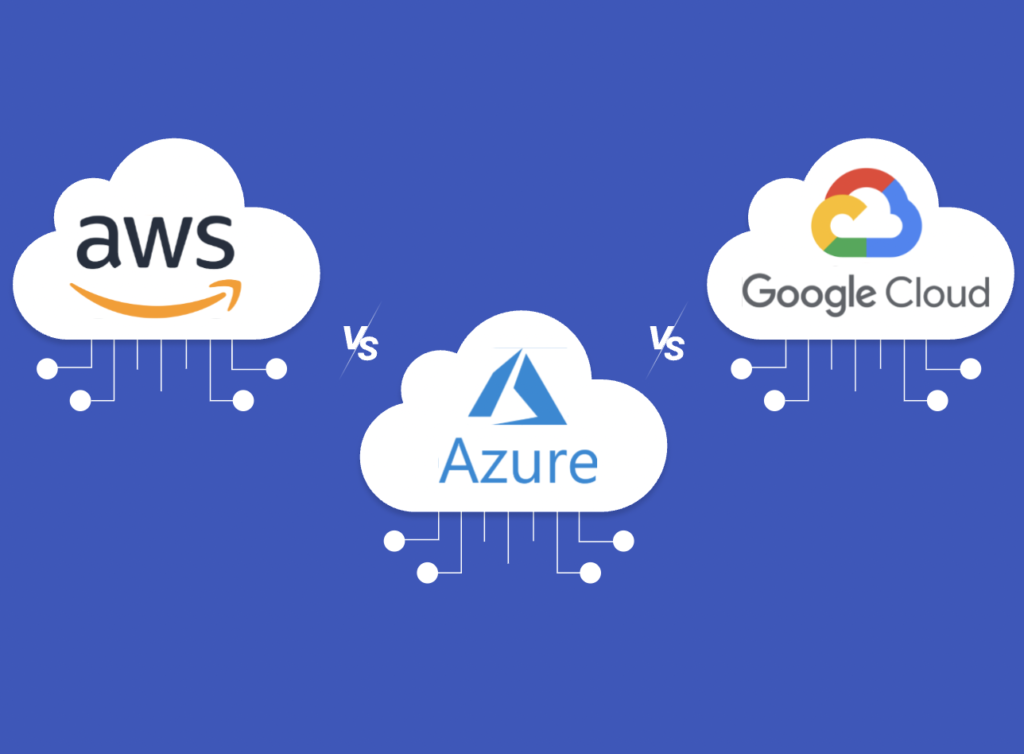
AWS vs. Other Cloud Providers
The cloud computing market includes several major providers, each with unique strengths.
| Feature | AWS | Microsoft Azure | Google Cloud |
| Global Infrastructure | Excellent | Excellent | Very Good |
| Service Portfolio | Extensive | Extensive | Strong |
| AI & Machine Learning | Excellent | Excellent | Excellent |
| Enterprise Adoption | Very High | Very High | Growing |
| Startup Popularity | Very High | High | High |
AWS maintains a strong competitive position because of its mature ecosystem, comprehensive documentation, extensive partner network, and broad selection of cloud services.
Microsoft Azure is often preferred by organizations heavily invested in Microsoft technologies, while Google Cloud is well known for its strengths in data analytics and artificial intelligence. The right provider depends on an organization’s technical requirements, existing infrastructure, and long-term business goals.
Benefits of Using AWS
AWS offers numerous advantages that make cloud adoption attractive for businesses of all sizes.
Scalability
Applications can automatically scale up during periods of high demand and scale down when traffic decreases, ensuring consistent performance while controlling costs.
Cost Efficiency
Companies no longer need to spend big money upfront on hardware; they just pay for the computing power they actually use.
Global Reach
With data centers located across multiple regions worldwide, organizations can deploy applications closer to their customers, reducing latency and improving user experience.
Reliability
AWS services are designed for high availability and fault tolerance. Organizations can distribute workloads across multiple Availability Zones to minimize downtime.
Innovation
AWS continually introduces new technologies, allowing businesses to adopt modern capabilities such as generative AI, serverless computing, analytics, and edge computing without rebuilding their infrastructure.
Challenges of AWS
Although AWS provides significant benefits, it also presents several challenges.
Learning Curve
AWS provides over 200 different services, which can seem quite daunting for those just starting out. Understanding which services to use requires time and practical experience.
Cost Management
Without proper monitoring, organizations may unintentionally leave unused resources running or choose larger instances than necessary, resulting in higher monthly costs.
Security Configuration
While AWS provides powerful security tools, customers remain responsible for configuring them correctly. Misconfigured permissions or publicly accessible storage can pose significant security threats.
Service Complexity
As cloud environments grow, managing networking, monitoring, automation, identity management, and compliance can become increasingly complex without proper governance.
Best Practices for AWS Users
Organizations can maximize the value of AWS by following several proven best practices.
- Start with a well-defined cloud strategy before migrating workloads.
- Apply the Principle of Least Privilege using AWS IAM.
- Enable Multi-Factor Authentication (MFA) for privileged accounts.
- Design applications across multiple Availability Zones for high availability.
- Perform regular backups and disaster recovery testing.
- Continuously monitor infrastructure using Amazon CloudWatch.
- Track spending with AWS Budgets and AWS Cost Explorer.
- Use AWS Trusted Advisor to identify security, cost, and performance improvements.
- Automate infrastructure deployment using AWS CloudFormation or Infrastructure as Code (IaC) tools such as Terraform.
- Keep operating systems and applications updated with the latest security patches.
From my own experience working with businesses exploring AWS, one of the most effective cost-saving practices is regularly reviewing unused resources. Even development environments that remain active overnight or on weekends can increase monthly costs. Simple automation to stop non-production instances outside working hours can produce noticeable savings over time.
The Future of AWS
Cloud computing continues to evolve rapidly, and AWS remains at the forefront of innovation.
Organizations are increasingly moving workloads to the cloud to support digital transformation, hybrid work environments, AI-driven applications, and real-time data analytics. AWS continues investing in emerging technologies such as generative AI, quantum computing research, edge computing, robotics, and sustainability initiatives.
AWS continues to invest heavily in edge computing through services like CloudFront and AWS Outposts, helping businesses process data closer to end users. To understand how edge computing complements traditional cloud infrastructure, read our guide on Understanding Edge Computing: How It Differs from Cloud Technology.
The platform is also expanding services that simplify application modernization, container management, serverless computing, and machine learning. As businesses seek faster innovation and greater operational efficiency, AWS is expected to remain a leading choice for organizations across industries.
Conclusion
Amazon Web Services (AWS) has transformed how businesses build, deploy, and manage technology. By providing on-demand access to computing power, storage, databases, networking, analytics, artificial intelligence, and many other services, AWS enables organizations to innovate faster while reducing the costs and complexity associated with traditional IT infrastructure.
Whether you’re a startup launching your first application, a developer building cloud-native software, or an enterprise modernizing legacy systems, AWS offers the flexibility and scalability needed to support long-term growth. Its extensive global infrastructure, mature ecosystem, strong security capabilities, and continuous innovation make it one of the most trusted cloud platforms available today.
Learning AWS is also a valuable investment for IT professionals. As organizations continue adopting cloud technologies, demand for cloud architects, DevOps engineers, security specialists, and data engineers with AWS expertise remains strong. By understanding AWS fundamentals and following cloud best practices, businesses and professionals alike can take full advantage of everything the platform has to offer.
Frequently Asked Questions
1. What is Amazon Web Services (AWS)?
Amazon Web Services (AWS) is Amazon’s cloud computing platform that provides on-demand services such as virtual servers, cloud storage, databases, networking, artificial intelligence, analytics, and security. Organizations use AWS to build and manage applications without maintaining physical infrastructure.
2. Why is AWS so popular?
AWS is popular because it offers reliable global infrastructure, flexible pricing, strong security, a broad portfolio of cloud services, and extensive documentation. Businesses also appreciate its scalability, allowing resources to grow or shrink based on demand.
3. Is AWS suitable for small businesses?
Yes. AWS is designed for organizations of every size. Small businesses can start with minimal upfront costs, pay only for the resources they use, and expand their cloud infrastructure as their operations grow.
4. What industries use AWS?
AWS serves healthcare, finance, retail, manufacturing, education, government, media, technology, telecommunications, logistics, and many other industries. Its flexible cloud services support everything from websites and mobile applications to AI-powered enterprise systems.
5. Is learning AWS a good career choice?
Yes. AWS skills remain among the most in-demand technical skills worldwide. Gaining certifications and hands-on experience can unlock job opportunities in fields like cloud engineering, DevOps, security, software development, data science, and AI.