


Cloud computing has become the backbone of modern business operations. Whether you’re running a startup, managing a growing company, or leading an enterprise IT team, choosing the right cloud platform can significantly impact your costs, security, scalability, and long-term growth. One of the most common questions business leaders ask is: What is Microsoft Azure, and how does it compare to Amazon Web Services (AWS)?
Microsoft Azure is one of the world’s leading cloud computing platforms, providing businesses with hundreds of cloud-based services for computing, storage, networking, databases, artificial intelligence, analytics, cybersecurity, and application development. Instead of investing heavily in physical servers and data centers, organizations can use Azure to deploy, manage, and scale workloads through Microsoft’s global cloud infrastructure.
As a technology writer who regularly researches cloud platforms and enterprise infrastructure trends, I’ve noticed that Azure is often the preferred choice for organizations already using Microsoft products. While reviewing migration case studies and Microsoft’s enterprise ecosystem, one pattern became clear: businesses can often simplify cloud adoption by extending the Microsoft tools they already use instead of rebuilding their entire technology stack.
This guide explains what Microsoft Azure is, how it works, its core services, and why many businesses choose it over AWS for specific workloads.
What Is Microsoft Azure?
Microsoft Azure is a cloud service offered by Microsoft, giving companies a way to create, run, and oversee their apps without needing their own physical servers. Instead, they use Microsoft’s worldwide network of data centers to keep everything running smoothly.
Originally launched in 2010 as Windows Azure, the platform has evolved into a comprehensive cloud ecosystem supporting more than 200 services across infrastructure, software development, artificial intelligence, security, Internet of Things (IoT), machine learning, and data analytics.
Rather than buying costly hardware, businesses can lease computing power and storage from the cloud whenever they need it, paying only for the resources they actually use. This consumption-based model gives businesses the flexibility to scale resources up or down as their needs change.
Today, Azure serves organizations ranging from small businesses and startups to Fortune 500 enterprises, educational institutions, healthcare providers, financial organizations, and government agencies.
As cloud environments continue evolving, many businesses are also exploring distributed technologies like Understanding Edge Computing: How It Differs from Cloud Technology, especially for applications that require faster data processing closer to users
How Microsoft Azure Works
Azure delivers computing resources through Microsoft’s worldwide network of cloud data centers.
When a business deploys an application on Azure, the application runs on Microsoft’s infrastructure rather than on hardware located inside the company’s office.
This allows organizations to:
- Launch applications quickly
- Scale resources automatically
- Store data securely
- Access services from anywhere
- Reduce hardware maintenance
- Improve disaster recovery capabilities
Administrators manage these resources through the Azure Portal, Azure CLI, PowerShell, REST APIs, or Infrastructure as Code tools such as Terraform and Bicep.
This flexibility allows both beginners and experienced cloud engineers to automate deployments and manage large environments efficiently.
Microsoft Azure’s Core Cloud Service Models
Azure offers services across the three primary cloud computing models.
Infrastructure as a Service (IaaS)
Infrastructure as a Service provides virtualized computing resources that replace traditional physical hardware.
Examples include:
- Virtual Machines
- Virtual Networks
- Load Balancers
- Managed Disks
- Backup and Disaster Recovery
IaaS gives organizations maximum flexibility because they maintain control over operating systems, networking, and applications while Microsoft manages the underlying physical infrastructure.
Platform as a Service (PaaS)
Platform as a Service removes much of the infrastructure management required to develop modern applications.
Developers can focus on writing code while Azure automatically manages:
- Operating systems
- Runtime environments
- Scaling
- Security updates
- Infrastructure maintenance
Popular Azure PaaS services include:
- Azure App Service
- Azure SQL Database
- Azure Functions
- Azure Kubernetes Service (AKS)
- Azure Logic Apps
For many organizations, PaaS reduces operational overhead while accelerating software development.
Software as a Service (SaaS)
Software as a Service delivers complete applications over the internet.
Microsoft provides several SaaS products that integrate closely with Azure, including:
- Microsoft 365
- Dynamics 365
- Power BI
- Microsoft Teams
- Power Apps
Because these services share Microsoft’s identity platform, organizations can simplify user management, authentication, and security policies across multiple business applications.
Key Features That Make Microsoft Azure Stand Out
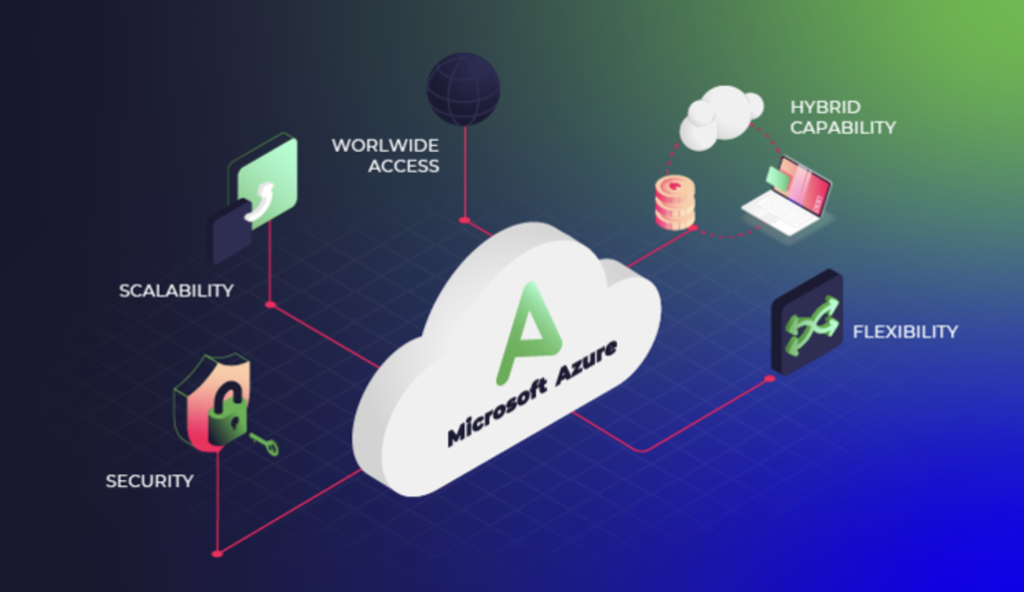
Azure offers far more than virtual servers. Its ecosystem includes hundreds of services designed to support businesses at every stage of digital transformation.
Some of the platform’s most important capabilities include:
Global Infrastructure
Microsoft operates one of the largest cloud infrastructures in the world, with data centers distributed across dozens of geographic regions. This global presence allows organizations to deploy applications closer to their customers, improving performance while helping meet regional compliance requirements.
Enterprise-Grade Security
Security is built into every layer of Azure.
The platform includes services such as:
- Microsoft Defender for Cloud
- Microsoft Sentinel
- Azure Key Vault
- Microsoft Entra ID (formerly Azure Active Directory)
- Azure Firewall
These services help organizations detect threats, secure identities, manage encryption keys, and monitor cloud environments from a centralized dashboard.
Built-In Scalability
One of Azure’s biggest advantages is elasticity.
Instead of purchasing hardware capable of handling peak demand throughout the year, businesses can automatically increase or decrease cloud resources based on actual usage.
For example, an e-commerce website experiencing heavy holiday traffic can automatically scale additional virtual machines during busy periods and reduce resources afterward, helping control operational costs.
Artificial Intelligence and Data Services
Microsoft has invested heavily in artificial intelligence, machine learning, and advanced analytics.
Azure provides managed services for:
- AI application development
- Machine learning model deployment
- Natural language processing
- Computer vision
- Data lakes
- Real-time analytics
These capabilities allow organizations to integrate AI into existing applications without building complex infrastructure from scratch.
Why Businesses Choose Microsoft Azure Over AWS
Amazon Web Services (AWS) and Microsoft Azure are both industry-leading cloud platforms capable of supporting organizations of every size. Each platform offers a wide range of services, but the best choice depends on your existing technology stack, business goals, regulatory requirements, and the expertise of your IT team.
For many organizations, Azure stands out because it integrates naturally with Microsoft’s broader ecosystem and provides strong support for hybrid cloud environments.
1. Seamless Integration with Microsoft Products
One of Azure’s biggest advantages is its compatibility with the Microsoft software that many organizations already rely on every day.
Businesses using Windows Server, Microsoft 365, Microsoft Teams, SharePoint, Exchange, SQL Server, or Microsoft Entra ID can often extend these services into Azure with minimal disruption.
Instead of replacing existing systems, Azure allows companies to modernize their infrastructure while preserving familiar tools and workflows.
For example, a business already using Microsoft 365 can connect user identities through Microsoft Entra ID, store files securely in Azure Storage, host business applications on Azure Virtual Machines, and monitor everything through a unified management platform.
This integration reduces migration complexity and helps IT teams maintain consistent security and access controls across cloud and on-premises environments.
2. Strong Hybrid Cloud Capabilities
Not every organization is ready to move entirely to the public cloud.
Many businesses continue operating a mix of on-premises infrastructure, private cloud resources, and public cloud services. This approach is known as a hybrid cloud strategy.
Microsoft has invested heavily in supporting hybrid environments through services such as:
- Azure Arc
- Azure Stack HCI
- Azure Site Recovery
- Azure Backup
These tools allow administrators to manage servers, virtual machines, Kubernetes clusters, and cloud resources from a single management experience.
During my research into enterprise cloud adoption, I found that hybrid deployments remain especially common in healthcare, manufacturing, and financial services, where organizations often need to balance modernization with regulatory requirements and legacy applications.
3. Extensive Security and Compliance Support
Security remains one of the primary reasons organizations evaluate Azure.
Microsoft invests billions of dollars annually in cybersecurity research and cloud security technologies, providing businesses with built-in protection across identities, applications, networks, and data.
Azure supports numerous internationally recognized compliance standards, including certifications for healthcare, finance, government, and defense industries.
Examples include:
- HIPAA
- FedRAMP
- SOC 1 and SOC 2
- ISO 27001
- PCI DSS
- GDPR
- CMMC
These certifications help organizations meet industry-specific regulatory requirements while reducing the administrative burden of maintaining compliance independently.
4. Cost Savings for Existing Microsoft Customers
Cloud pricing depends on workload requirements, storage, networking, and usage patterns.
However, organizations already licensing Windows Server or SQL Server can often reduce migration costs through Azure Hybrid Benefit.
This licensing program allows eligible businesses to reuse existing Microsoft licenses when deploying workloads in Azure, lowering infrastructure expenses compared with purchasing entirely new cloud licenses.
Before selecting a cloud provider, it’s worth comparing your current licensing agreements alongside projected cloud usage rather than focusing only on advertised hourly pricing.
5. Artificial Intelligence and Cloud Innovation
Artificial intelligence has become one of Azure’s fastest-growing strengths.
Organizations can build AI-powered applications using services that support:
- Natural language processing
- Computer vision
- Speech recognition
- Machine learning
- Intelligent search
- Enterprise chatbots
- Document processing
Azure also offers access to advanced language models through Azure OpenAI Service, allowing businesses to integrate generative AI into their own applications while maintaining enterprise-grade security and governance.
This makes Azure particularly attractive for organizations exploring AI while operating in regulated industries that require greater control over data handling.
Azure vs AWS: Key Differences

Although both platforms provide similar core cloud services, their strengths differ depending on business requirements.
| Feature | Microsoft Azure | Amazon Web Services |
| Best for | Microsoft-based organizations | Cloud-native and Linux-focused environments |
| Hybrid cloud | Excellent | Strong, but less Microsoft-centric |
| Microsoft integration | Outstanding | Limited |
| Enterprise licensing | Strong cost benefits for Microsoft customers | Separate licensing model |
| AI ecosystem | Strong enterprise AI integration | Broad AI and machine learning services |
| Learning curve | Easier for Microsoft administrators | Often preferred by experienced cloud engineers |
Neither platform is universally better. The right choice depends on your existing infrastructure, budget, compliance requirements, and long-term technology strategy.
Industries That Benefit Most from Azure
Azure supports businesses across many sectors, but it is particularly valuable for organizations that require strong security, compliance, and integration with Microsoft technologies.
Common industries include:
Healthcare
Healthcare providers use Azure to support electronic health records, telehealth platforms, medical imaging, and secure patient data while meeting regulatory requirements.
Financial Services
Financial institutions like banks, insurance providers, and investment firms rely on Azure to handle safe and reliable transactions, spot potential fraud, recover quickly from disasters, and perform in-depth data analysis.
Government
Government agencies benefit from specialized Azure Government services designed to meet strict security and compliance standards.
Manufacturing
Manufacturers use Azure to connect factory equipment, analyze production data, monitor supply chains, and support predictive maintenance using IoT technologies.
Retail and E-commerce
Retail businesses leverage Azure to manage inventory, personalize customer experiences, analyze purchasing behavior, and scale online stores during seasonal demand.
Across these industries, Azure’s combination of scalability, security, and integration helps organizations modernize operations without abandoning the systems they already depend on.
Understanding Microsoft Azure Pricing
One of the biggest concerns for businesses moving to the cloud is cost. Unlike traditional IT infrastructure, Azure uses a pay-as-you-go pricing model for most services, meaning you generally pay only for the resources you consume.
However, your monthly costs depend on several factors, including:
- Compute resources (virtual machines or containers)
- Storage capacity
- Network bandwidth
- Database usage
- Backup and disaster recovery
- AI and analytics services
- Geographic region
For organizations with predictable workloads, Azure also offers Reserved Instances and Savings Plans, which can reduce costs in exchange for longer-term commitments. Businesses already using Windows Server or SQL Server licenses may qualify for Azure Hybrid Benefit, providing additional savings on eligible workloads.
Before migrating, use the Azure Pricing Calculator to estimate costs based on your expected usage rather than relying on general pricing comparisons.
Businesses can use Microsoft’s official Azure pricing resources to compare service costs, estimate monthly expenses, and understand available purchasing options before starting a cloud migration
How to Decide Between Azure and AWS
Choosing the right cloud provider is less about finding a universally “better” platform and more about selecting the one that aligns with your business requirements.
Azure is often a strong fit if your organization:
- Already relies heavily on Microsoft technologies.
- Needs hybrid cloud capabilities.
- Must meet strict compliance requirements.
- Plans to integrate enterprise AI solutions.
- Wants centralized identity management through Microsoft Entra ID.
AWS may be a better option if your organization:
- Primarily runs Linux-based workloads.
- Has an existing AWS-skilled engineering team.
- Requires certain AWS-native services.
- Is building highly customized cloud-native applications.
Many large enterprises even adopt a multi-cloud strategy, using Azure for some workloads and AWS for others to improve resilience and flexibility.
Before comparing cloud providers, it helps to understand how Amazon’s platform works. Read our guide on What Is Amazon Web Services (AWS)? A Complete Beginner’s Guide to explore AWS fundamentals, services, and business use cases
Common Mistakes Businesses Make When Moving to Azure
Successful cloud adoption requires careful planning. Rushing a migration can lead to unnecessary costs, security gaps, and operational challenges.
Migrating Without a Cloud Strategy

Some organizations move applications to the cloud without evaluating whether those workloads are suitable for migration.
Instead, assess each application individually and determine whether it should be rehosted, refactored, modernized, or retired.
Ignoring Cost Management
Cloud resources that remain running unnecessarily can quickly increase monthly expenses.
Azure Cost Management and budgeting tools help organizations monitor spending, identify unused resources, and optimize infrastructure over time.
Weak Identity and Access Controls
Cloud security begins with identity.
Organizations should implement:
- Multi-factor authentication (MFA)
- Role-based access control (RBAC)
- Conditional Access policies
- Least-privilege access principles
These practices significantly reduce the risk of unauthorized access.
Overlooking Backup and Disaster Recovery
Although cloud infrastructure is highly resilient, businesses still need comprehensive backup and recovery plans.
Services such as Azure Backup and Azure Site Recovery help protect critical workloads against accidental deletion, ransomware, and regional outages.
Best Practices Before Migrating to Azure
A successful migration starts long before workloads are moved into the cloud.
Consider the following best practices:
- Inventory your current infrastructure.
- Identify applications with the highest business value.
- Review licensing opportunities.
- Estimate cloud costs using Microsoft’s pricing tools.
- Train your IT staff on Azure fundamentals.
- Test with a pilot workload before migrating production systems.
During the planning stage, businesses should also explore modern application models such as serverless computing. Our guide What Is FaaS and How Serverless Computing Is Changing Everything explains how Function as a Service allows developers to run code without managing traditional server infrastructure
- Implement governance and security policies from the beginning.
- Continuously monitor performance and costs after deployment.
Taking these steps reduces migration risks and helps organizations realize the long-term benefits of cloud computing more quickly.
Key Takeaways
- Microsoft Azure is one of the world’s leading cloud computing platforms, offering services for infrastructure, application development, storage, networking, security, AI, and analytics.
- Azure is particularly attractive for organizations already invested in Microsoft technologies because of its seamless integration with Microsoft 365, Windows Server, SQL Server, and Microsoft Entra ID.
- Strong hybrid cloud capabilities, enterprise security, and broad compliance support make Azure a popular choice for regulated industries.
- Pricing varies by workload, but programs such as Azure Hybrid Benefit can reduce costs for eligible organizations.
- Before choosing Azure or AWS, evaluate your existing technology stack, compliance requirements, team expertise, and long-term business goals.
Final Thoughts
Understanding what Microsoft Azure is goes beyond learning the names of its services. The real value lies in how the platform helps organizations modernize infrastructure, strengthen security, improve scalability, and support future innovation.
While researching cloud adoption trends and comparing enterprise migration strategies, I’ve consistently found that businesses achieve the best outcomes when they choose a cloud platform that complements their existing technology environment instead of forcing unnecessary changes. For organizations already using Microsoft technologies, Azure often provides a smoother migration path with fewer compatibility challenges.
That said, Azure isn’t automatically the right solution for every business. Companies should evaluate their workloads, compliance requirements, budget, and internal expertise before making a decision. Running a pilot project and measuring performance, costs, and operational impact can provide valuable insights before committing to a large-scale migration.
Whether you’re planning your first cloud deployment or considering a move from another provider, a well-planned cloud strategy will have a greater impact on long-term success than the choice of platform alone.
Frequently Asked Questions
1. What is Microsoft Azure used for?
Microsoft Azure is used to host websites, run virtual machines, store data, build applications, analyze information, deploy artificial intelligence solutions, back up systems, and manage enterprise cloud infrastructure.
2. Is Microsoft Azure better than AWS?
Neither platform is objectively better for every organization. Azure is often preferred by businesses using Microsoft products and hybrid cloud environments, while AWS is widely used for cloud-native applications and organizations with existing AWS expertise.
3. Is Microsoft Azure only for large enterprises?
No. Azure supports businesses of all sizes, including startups, small businesses, educational institutions, nonprofits, and global enterprises. Organizations can begin with a small deployment and scale resources as their needs grow.
4. Do I need coding experience to use Azure?
Not necessarily. Many Azure services can be managed through the Azure Portal using graphical interfaces. However, administrators, developers, and cloud engineers may benefit from learning scripting, automation, or Infrastructure as Code tools for more advanced deployments.
5. Is Azure secure?
Microsoft Azure includes extensive security features such as identity management, encryption, threat detection, network security, and compliance certifications. However, organizations also share responsibility for securing their applications, data, user access, and configurations.
6. Can Azure support artificial intelligence projects?
Yes. Azure offers a wide range of AI services, including machine learning, natural language processing, computer vision, intelligent search, and Azure OpenAI Service, enabling businesses to develop and deploy AI-powered applications while maintaining enterprise security and governance.