

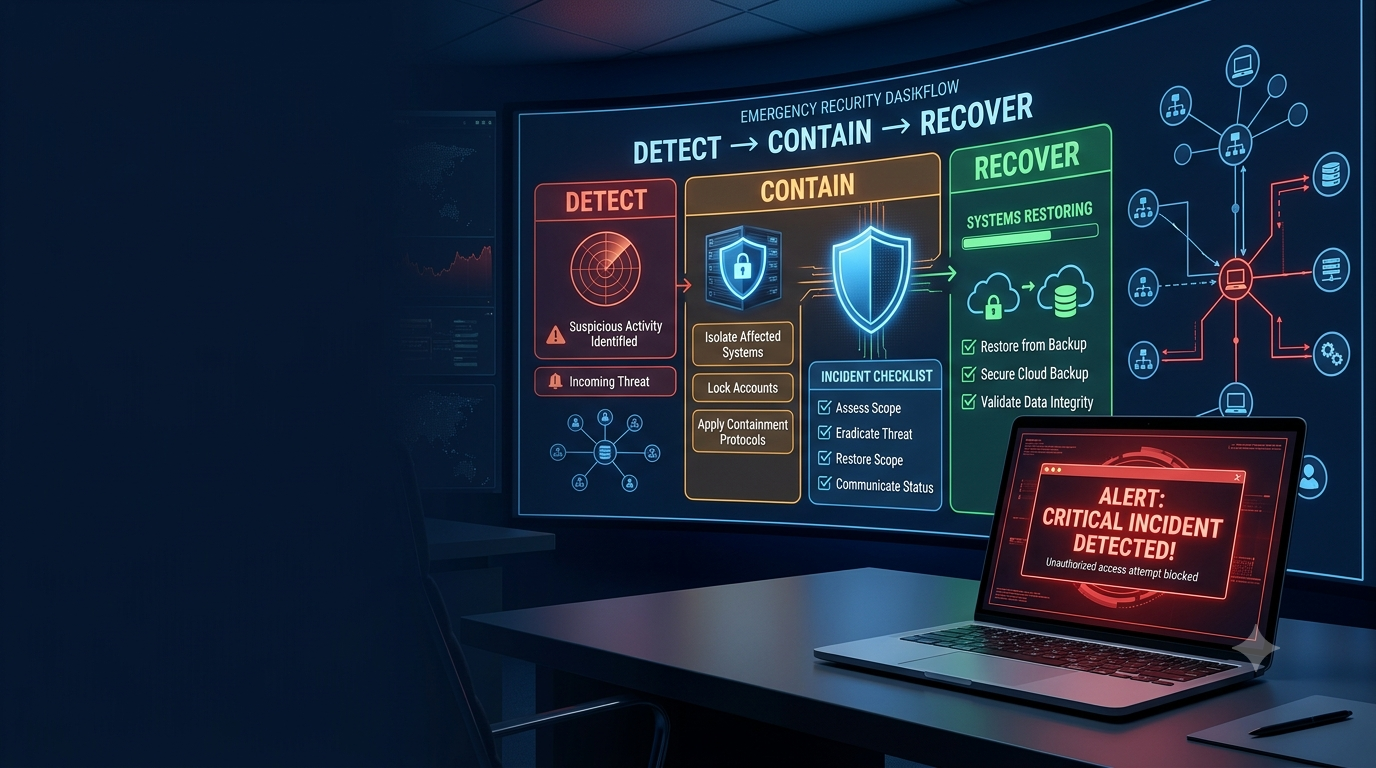
A cyberattack can happen to a five-person business just as easily as it can happen to a large corporation. The difference is that a small team usually has fewer people, fewer resources, and less time to decide what to do.
One compromised email account can expose sensitive information. A ransomware attack can stop business operations. A phishing email can give criminals access to cloud applications, customer records, or financial systems.
The good news is that you do not need an expensive security department to prepare.
You can create a practical cyber incident response plan for free using a simple document, spreadsheet, existing security tools, and clearly assigned responsibilities. The goal is not to predict every possible cyberattack. It is to make sure your team knows what to do when something goes wrong.
What Is a Cyber Incident Response Plan?
A cyber incident response plan is a written set of procedures for detecting, containing, investigating, recovering from, and learning from cybersecurity incidents.
Think of it as an emergency playbook for your business.
Without a plan, employees may react differently to the same incident. Someone might immediately shut down a computer, another person might reset passwords, while someone else contacts customers before the facts are confirmed.
A response plan creates order.
It should answer questions such as:
- What counts as a cyber incident?
- Who should be contacted first?
- Who investigates the problem?
- Who can disable an account?
- When should a device be isolated?
- Who communicates with customers?
- When should outside experts be contacted?
- How will systems be restored?
The National Institute of Standards and Technology (NIST) recommends integrating incident response into broader cybersecurity risk management rather than treating it as a separate activity.
Why Small Teams Need an Incident Response Plan
Large companies may have dedicated security analysts, incident responders, and forensic specialists. A small business may have one IT administrator handling everything.
That makes preparation even more valuable.
Imagine an employee enters their password on a fake Microsoft 365 login page. Ten minutes later, an attacker signs into the account.
What happens next?
Should the password be changed? Should active sessions be revoked? Was customer information accessed? Did the attacker create email forwarding rules? Did they send phishing messages to other employees?
If nobody knows who is responsible, valuable time can be lost.
A small-team incident response plan removes that uncertainty.
How to Create a Cyber Incident Response Plan for Free
You can create a basic plan without buying specialized software. A document editor can store the main plan, while a spreadsheet can track incidents. Your existing cloud and security platforms may already provide useful logs and alerts.
The important part is not the software. It is having a clear process.
1. Define What Counts as an Incident
Start by deciding which events require a response.
Common examples include:
- Phishing attacks
- Stolen passwords
- Compromised email accounts
- Malware infections
- Ransomware
- Unauthorized access
- Lost devices
- Data exposure
- Website compromise
- Suspicious administrator activity
- Cloud account compromise
Not every event requires the same response. A suspicious email that nobody opened is very different from a confirmed administrator account compromise.
2. Create Simple Severity Levels
Use a few straightforward categories.
Low: Suspicious email with no interaction.
Medium: An employee clicked a malicious link or entered credentials.
High: Confirmed malware or unauthorized access involving an important system.
Critical: Ransomware, major data exposure, widespread compromise, or serious business disruption.
These levels help your team prioritize incidents instead of treating every security alert as an emergency.
3. Assign Roles
A tiny company doesn’t require a security team of five people. One person can perform multiple responsibilities.
For example:
| Role | Responsibility |
| Incident Lead | Coordinates the response |
| Technical Lead | Investigates and contains threats |
| Business Owner | Makes major business decisions |
| Communications Lead | Handles communication |
| External Support | Provides specialist assistance |
Write these responsibilities down. Never assume everyone already knows what they should do.
4. Create an Emergency Contact List
Your contact list should include:
- Business owner
- IT administrator
- Managed service provider
- Cybersecurity consultant
- Cloud providers
- Email provider
- Domain registrar
- Hosting provider
- Cyber insurance provider
- Legal counsel
- Relevant authorities
Keep an independently accessible copy of the list. If your primary email account is compromised, you do not want your emergency contacts trapped inside that account.
5. Identify Critical Assets
List the systems that would cause the most damage if they became unavailable or compromised.
These may include:
- Customer databases
- Email accounts
- Accounting systems
- Cloud storage
- Payment systems
- Website and DNS accounts
- Production servers
- Source code
- Backup systems
- Administrator accounts
For each asset, record who owns it, where it is hosted, who can access it, and how it can be recovered.
Create a First-15-Minutes Checklist
The initial moments after an incident occur are often disorganized and hectic. A short checklist gives people something practical to follow.
Your initial response might be:
- Confirm the alert.
- Record the time and initial facts.
- Notify the incident lead.
- Identify the affected account or device.
- Determine whether the threat is still active.
- Take appropriate containment action.
- Preserve useful evidence.
- Record every action taken.
- Check whether other systems may be affected.
- Decide whether escalation is necessary.
The checklist should be short enough to use under pressure.
Create Playbooks for Common Incidents
A broad strategy is more effective when complemented with specific, concise procedures for common risks.
Phishing
If an employee clicks a suspicious link:
- Stop interacting with the message.
- Determine whether credentials were entered.
- Reset compromised credentials when necessary.
- Revoke active sessions.
- Verify MFA settings.
- Review recent sign-ins.
- Check for suspicious mailbox rules.
- Search for similar phishing messages.
- Document the incident.
Fast reporting is important. Employees should know that reporting a mistake quickly is better than hiding it.
Malware
For suspected malware:
- Isolate the affected device when appropriate.
- Notify the technical lead.
- Record what was observed.
- Check whether other devices show similar activity.
- Preserve relevant evidence.
- Investigate the infection.
- Reset credentials if compromise is suspected.
- Rebuild or restore the device when necessary.
- Monitor for further activity.
Avoid randomly deleting files or wiping systems before considering whether evidence may be needed.
Ransomware
Ransomware requires a more serious response. Isolate affected systems, protect unaffected systems and backups, determine the scope, preserve evidence, and involve appropriate specialists.
Do not assume that paying a ransom will automatically restore systems or resolve stolen-data risks.
Preserve Evidence
During an incident, your first instinct may be to clean everything up. That can make investigation harder.
Useful evidence may include:
- Login records
- Security alerts
- Screenshots
- Suspicious emails
- System logs
- Authentication records
- Cloud activity
- Endpoint alerts
- Important timestamps
Create an incident record showing what happened, when it happened, who discovered it, which systems were affected, and what actions were taken.
For serious incidents, professional forensic or legal assistance may be appropriate before making major changes to affected systems.
Create a Free Incident Log
A spreadsheet is enough for basic tracking.
Useful fields include:
| Field | Example |
| Incident ID | IR-001 |
| Incident Type | Phishing |
| Severity | Medium |
| Affected Asset | |
| Reporter | Employee |
| Time Discovered | 10:15 AM |
| Actions Taken | Password reset |
| Owner | IT |
| Status | Investigating |
| Lessons Learned | Review MFA |
Never put passwords, recovery codes, API keys, or other secrets into the incident log.
Plan Communication and Recovery
Cyber incidents are not purely technical problems. Your plan should explain who communicates with employees, customers, vendors, insurers, regulators, and other relevant parties.
Early communication should focus on verified facts. Don’t jump to conclusions about data theft until investigators have verified the facts.
Recovery should also be part of the plan.
It may involve:
- Restoring clean backups
- Rebuilding devices
- Resetting credentials
- Patching vulnerabilities
- Removing malicious access
- Monitoring restored systems
- Confirming that business operations work correctly
Backups are valuable only if they can actually be restored, so test them regularly.
Test Your Incident Response Plan
A plan sitting in a folder is not enough.
Run a simple tabletop exercise.
For example, tell your team:
“An administrator account has logged in from an unfamiliar location.”
Then ask:
- Who receives the alert?
- Who takes ownership?
- Who investigates?
- Who can disable the account?
- What evidence should be saved?
- Who informs management?
- When should outside help be contacted?
- How do we know the attacker is contained?
Write down every point where the team becomes uncertain. Those gaps show exactly what your plan needs to improve.
Common Mistakes to Avoid
Small businesses often make a few predictable mistakes.
First, they wait until an attack happens before deciding who is responsible.
Second, they create extremely long plans that nobody wants to read.
Third, they store the entire plan inside the same email or cloud account that could be compromised.
Fourth, they forget recovery and focus only on stopping the attacker.
Finally, they never test the plan.
A simple, tested plan is much more useful than an impressive document that nobody understands.
Conclusion
A cyber incident response plan does not need to be expensive or complicated.
For a small team, the most useful plan is one that answers a few critical questions: Who responds? What happens first? Which systems matter most? Who can make emergency decisions? When should outside help be called? How will the business recover?
Start with your most likely incidents. Assign clear roles, prepare short response checklists, protect your backups, document important assets, and test the plan with realistic scenarios.
The goal is not to create a perfect document.
The goal is to eliminate confusion when something goes wrong.
When the next phishing email, suspicious login, malware alert, or ransomware warning appears, your team should not have to ask, “What do we do now?”
The answer should already be in the plan.
Frequently Asked Questions
1. Can a small business create an incident response plan for free?
Yes. A basic plan can be created with a document editor, spreadsheet, existing security tools, checklists, and clearly assigned responsibilities.
2. What should an incident response plan include?
It should include incident definitions, team roles, severity levels, reporting procedures, containment steps, evidence handling, communication procedures, recovery instructions, and emergency contacts.
3. What should I do first during a cyber incident?
Confirm what happened, record the initial facts, notify the incident lead, identify affected systems, and determine whether immediate containment is necessary.
4. Should small businesses prepare for ransomware?
Yes. Ransomware can seriously disrupt small businesses, so organizations should prepare for isolation, investigation, backup protection, recovery, and outside assistance.
5. How often should the plan be tested?
A yearly review and tabletop exercise is a useful baseline. Test it again whenever there are major changes to technology, staff, or business operations.
6. What is the difference between incident response and disaster recovery?
Incident response focuses on handling the cybersecurity incident. Disaster recovery focuses on restoring systems and operations after disruption. The two should work together.