


An AI native development platform is changing the way modern software is planned, built, tested, and maintained. Instead of treating artificial intelligence as a small tool added to an existing development workflow, these platforms place AI at the center of the entire software development process.
For developers, that shift can be significant. AI can help generate code, explain unfamiliar functions, identify bugs, create tests, review pull requests, and even handle parts of a development task from a simple natural-language instruction.
But does that mean developers are becoming less important? Not at all. In fact, the role of a developer can become more strategic. Developers still need to understand architecture, security, performance, business requirements, and the quality of the final product.
The difference is that repetitive work can increasingly be handled by intelligent systems.
This guide explains what an AI native development platform means, how it works, why developers are adopting it, and seven powerful reasons it could become an important part of modern software development.
What Is an AI-Native Development Platform?
An AI native development platform is a software development environment designed around artificial intelligence from the beginning rather than adding AI as a secondary feature.
In a traditional development environment, a programmer writes code manually and may use separate tools for documentation, debugging, testing, project management, and code review. AI might appear as a coding assistant inside one part of that workflow.
An AI-native approach goes further.
The platform may understand project files, development requirements, dependencies, documentation, terminal commands, tests, and version-control workflows. It can then use that context to assist with larger parts of a development task.
For example, instead of asking an AI assistant:
“Write a Python function that validates an email.”
a developer might provide a broader instruction:
“Add email validation to the registration system, update the relevant tests, handle invalid input, and explain which files were changed.”
An AI-native development platform may be able to reason across multiple files and tools to complete much more of that task.
The developer remains responsible for reviewing the result, but the workflow becomes more conversational and automated.
AI-Native Does Not Mean AI-Only
One common misunderstanding is that AI-native development means removing humans from software development.
That’s not the goal.
AI can generate code quickly, but generated code can still contain security weaknesses, incorrect assumptions, inefficient logic, or compatibility problems. Human developers provide judgment and context.
Think of AI as a highly capable development partner rather than an unquestionable authority.
The developer decides what should be built. AI can help determine how to build parts of it faster.
Traditional Development vs AI-Native Development
The biggest difference is the position of AI within the workflow.
In traditional development, AI is often an optional assistant. In an AI-native workflow, AI becomes part of the core development process.
| Traditional Development | AI-Native Development |
| Manual coding is central | Natural-language instructions can drive tasks |
| AI is often an add-on | AI is integrated into the workflow |
| Developers search documentation manually | AI can retrieve and explain relevant context |
| Testing may require significant manual work | AI can generate test cases |
| Debugging starts with manual investigation | AI can analyze errors and suggest fixes |
| Developers navigate files individually | AI can work across project context |
| Automation is usually rule-based | Automation can include AI agents |
This doesn’t mean traditional development is obsolete. Rather, AI-native development builds another layer on top of established engineering practices.
Version control, code review, testing, architecture, monitoring, and security remain essential.
How AI-Native Development Platforms Work
At a high level, an AI-native platform combines an AI model with development tools and project context.
The AI model provides reasoning and generation capabilities. The platform supplies information about the project and may give the model controlled access to tools.
A simplified workflow looks like this:
- The developer describes a task.
- The platform analyzes the relevant project context.
- The AI identifies files, dependencies, and possible changes.
- The system creates or modifies code.
- Tests or validation steps are executed.
- The developer reviews the changes.
- Approved changes are integrated into the project.
The important word here is context.
A model that only sees one code snippet has limited knowledge. A platform that understands the wider repository can provide much more useful assistance.
Context Is the Secret Ingredient
Suppose a developer asks an AI to fix a database error.
Without project context, the AI may provide a generic answer.
With access to the relevant code, configuration, schema, logs, and tests, the AI can potentially identify a much more specific solution.
That’s why modern AI development platforms increasingly focus on repository awareness, context retrieval, tool use, and agentic workflows.
Core Components of an AI-Native Development Platform
Several technologies typically work together to create an AI-native development experience.
Large Language Models
Large language models provide the reasoning and code-generation capabilities behind many AI development tools.
They can understand programming languages, explain technical concepts, generate code, summarize files, and interpret natural-language requirements.
However, the model itself isn’t the complete platform.
Codebase Context
The platform needs access to relevant project information.
This may include:
- Source code
- Documentation
- Configuration files
- Dependencies
- Tests
- Error messages
- Git history
- Project instructions
Context helps the AI produce responses that fit the actual application instead of generic examples.
Tool Integration
AI-native systems can connect models with development tools.
Depending on the platform, those tools may include:
- Code editors
- Terminals
- Git repositories
- Testing frameworks
- Issue trackers
- Databases
- Cloud services
- Documentation systems
This makes AI more useful because it can participate in real development workflows.
AI Agents
AI agents represent another major development.
A simple coding assistant waits for a question and provides an answer. An AI agent may receive a goal and perform multiple steps to reach it.
For example, an agent could be instructed to investigate a failing test. It may inspect the relevant code, identify a possible issue, modify the code, run the test, review the result, and suggest another change if the test still fails.
Human approval is still important, especially for production systems.
7 Powerful Reasons Every Developer Should Consider AI-Native Development
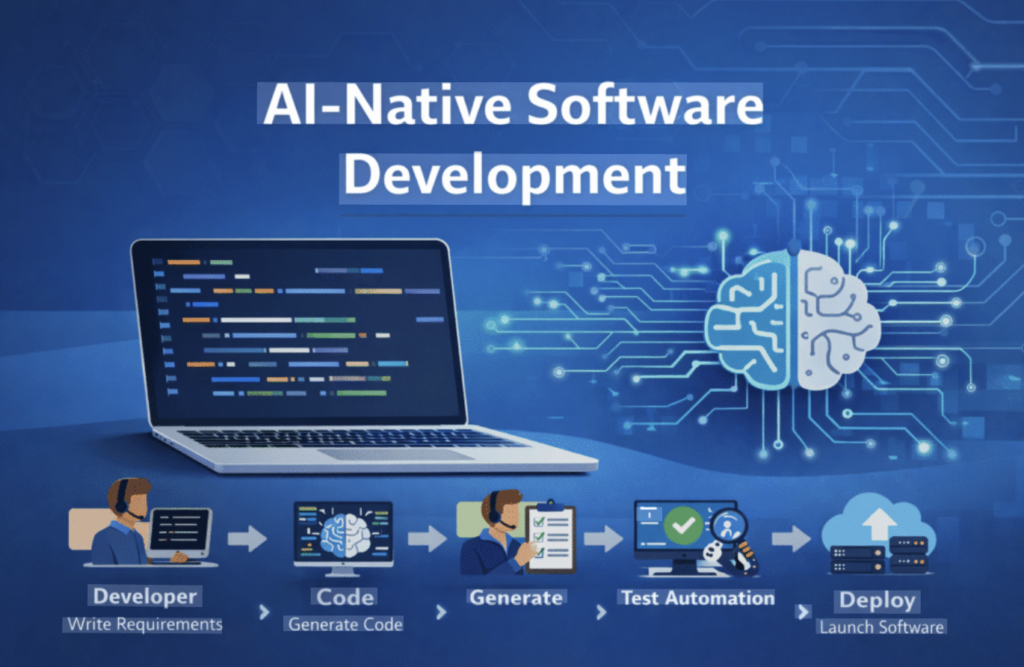
AI-native development isn’t simply about generating code faster. Its biggest advantage is reducing friction throughout the software lifecycle.
Here are seven reasons developers should understand this emerging approach.
1. It Can Make Coding Much Faster
The most obvious advantage is speed.
Developers regularly write repetitive code. Examples include basic API handlers, data models, configuration files, test cases, documentation, and standard utility functions.
AI can generate a first version of this work in seconds.
That doesn’t mean the developer should blindly accept the output. Instead, the developer can review, modify, and integrate it.
This changes the economics of small tasks.
A function that previously took 20 minutes might take five minutes to generate and review. Multiply that across dozens of tasks, and the time savings can become substantial.
Faster Doesn’t Mean Sloppier
Speed only matters when quality remains acceptable.
A developer should still:
- Review generated code.
- Run automated tests.
- Check security implications.
- Verify business logic.
- Inspect dependencies.
- Test edge cases.
The goal isn’t to type less simply for the sake of typing less.
The goal is to spend more time solving important problems and less time performing repetitive work.
2. It Improves Technical Problem Solving
Developers often spend more time debugging than writing new code.
A confusing error may involve several files, a dependency conflict, an incorrect configuration, or an unexpected interaction between systems.
An AI native development platform can help investigate these problems by analyzing available context.
For example, a developer could provide an error message and ask:
“Explain why this error is happening and identify the most likely files responsible.”
The AI can then explain the problem in simpler terms and suggest potential fixes.
This is particularly useful for developers working with unfamiliar frameworks.
AI Can Act Like a Second Pair of Eyes
Sometimes a developer becomes too close to a problem.
An AI assistant can offer another perspective by explaining:
- What a function appears to do.
- Why an exception might occur.
- Which assumptions may be incorrect.
- What edge cases are missing.
- Where performance could become an issue.
Of course, AI suggestions need verification. Still, that second perspective can save valuable time.
3. It Can Automate More Testing
Testing is essential, but creating comprehensive tests can be time-consuming.
AI can help generate unit tests, integration-test ideas, edge cases, and test data.
For example, if a developer creates a payment calculation function, an AI assistant can suggest tests for:
- Normal transactions.
- Zero values.
- Negative values.
- Large amounts.
- Missing fields.
- Invalid input.
- Currency differences.
- Rounding behavior.
This can help developers think beyond the obvious happy path.
Testing Still Requires Engineering Judgment
Generated tests aren’t automatically good tests.
An AI might create tests that simply confirm what the existing implementation already does instead of checking what the application should do.
Therefore, developers should evaluate whether the tests actually reflect business requirements.
AI can increase test coverage, but human judgment determines meaningful coverage.
4. It Can Improve Developer Productivity
Productivity isn’t just about writing code.
Developers lose time switching between applications, searching documentation, understanding unfamiliar files, writing repetitive commands, and preparing explanations.
An AI-native platform can reduce some of this friction.
For example, instead of manually searching through a large project, a developer can ask:
“Where is user authentication handled?”
The system may identify the relevant files and explain how authentication flows through the application.
This is especially valuable in large repositories.
Less Context Switching
Constantly switching between an editor, browser, documentation, terminal, and issue tracker can interrupt concentration.
When development assistance is available directly inside the workflow, developers can spend more time thinking about the actual problem.
That’s a subtle benefit, but over a long project it can add up.
5. It Makes Large and Unfamiliar Codebases Easier to Understand
Joining an existing project can be intimidating.
A developer may face thousands or even millions of lines of code, multiple services, unfamiliar naming conventions, and years of accumulated technical decisions.
AI can help create an initial map of the project.
A developer might ask:
- “Explain the architecture of this application.”
- “Where does the user registration process begin?”
- “Which service handles payments?”
- “What database tables are involved?”
- “Explain this unfamiliar module.”
Instead of manually reading every file before understanding the system, developers can use AI to create a starting point.
Useful for New Team Members
This can make onboarding easier.
A new developer can ask questions in natural language while exploring the repository.
However, AI-generated explanations should still be compared with official documentation and actual code behavior.
An AI can misunderstand a complicated architecture just as a human can.
6. AI Agents Can Handle Multi-Step Development Tasks
This is where AI-native development becomes particularly interesting.
Basic code completion helps with small pieces of code.
Agentic development can handle a sequence of related tasks.
Imagine giving an AI agent this instruction:
“Add a password-reset feature to the application.”
A capable system may be able to break that request into smaller steps:
- Inspect the existing authentication system.
- Identify relevant user models.
- Create password-reset logic.
- Add required API endpoints.
- Update database-related code if necessary.
- Create tests.
- Run the test suite.
- Report the changes.
The developer can then review the proposed work.
Developers Become More Like Technical Directors
As AI handles more implementation tasks, developers may spend more time defining requirements and reviewing results.
That makes skills such as architecture, system design, debugging, security, communication, and product thinking even more valuable.
The ability to tell an AI exactly what needs to happen becomes increasingly important.
7. It Can Speed Up Product Development
The final reason is bigger than individual developer productivity.
When development becomes faster, businesses may be able to test ideas more quickly.
A startup could prototype a feature, gather feedback, and improve it without spending weeks on the first version.
A small engineering team could potentially handle a wider range of tasks.
This doesn’t guarantee success. Fast development of the wrong product is still wasted effort.
However, AI-native development can shorten the distance between an idea and a working prototype.
From Idea to Prototype
Consider a small business that wants an internal dashboard.
The traditional process may involve requirements gathering, wireframes, development, testing, revisions, and deployment.
AI can potentially accelerate several of these stages.
The human team still needs to define what the dashboard should accomplish. AI simply helps reduce some implementation overhead.
Security Considerations for AI-Native Development

AI introduces new security questions that developers can’t ignore.
When an AI system has access to source code, terminals, repositories, or cloud resources, permissions become extremely important.
Developers should understand:
- What information the AI can access.
- Where prompts and project data are processed.
- What tools an AI agent can execute.
- Which actions require approval.
- How secrets are protected.
- How generated code is reviewed.
Never assume that an AI-generated solution is secure simply because it looks professional.
Security testing remains necessary.
For broader secure-development guidance, developers can also consult OWASP’s official website.
Protecting Sensitive Information
Source code may contain secrets, API keys, customer information, internal URLs, or proprietary business logic.
Developers should follow their organization’s security policies before connecting AI systems to private repositories.
Good practices include:
- Using least-privilege permissions.
- Keeping secrets outside source code.
- Reviewing tool permissions.
- Restricting production access.
- Auditing agent actions.
- Using approved AI services for sensitive projects.
Challenges and Limitations of AI-Native Development
Despite its advantages, AI-native development isn’t magic.
AI can produce incorrect code with confidence.
It may misunderstand requirements, introduce subtle bugs, use outdated approaches, or create unnecessary complexity.
There are also concerns around:
Hallucinations
An AI can invent APIs, functions, configuration options, or technical explanations that don’t actually exist.
Security Vulnerabilities
Generated code may contain insecure patterns.
Overdependence
Developers who accept AI output without understanding it can weaken their own technical judgment.
Context Limitations
Even advanced systems may misunderstand complicated project relationships.
Maintenance Problems
Poorly reviewed AI-generated code can increase technical debt instead of reducing it.
The answer isn’t to avoid AI.
The better approach is to use AI with engineering discipline.
How to Choose an AI-Native Development Platform
Not every AI development platform will suit every developer or team.
Before choosing one, evaluate several factors.
| Factor | What to Look For |
| Codebase awareness | Can it understand the wider project? |
| Model quality | Does it produce reliable technical output? |
| Agent capabilities | Can it perform multi-step tasks? |
| Tool access | Can it work with your development tools? |
| Security | Are permissions and data controls strong? |
| IDE integration | Does it fit your existing workflow? |
| Testing | Can it create and run useful tests? |
| Collaboration | Can teams review AI-generated changes? |
| Cost | Does pricing match your usage? |
| Reliability | Does it behave consistently on real projects? |
The best platform isn’t necessarily the one with the most features.
It’s the one that solves your team’s actual problems without creating unnecessary risk.
How Developers Can Get Started
You don’t need to redesign your entire workflow overnight.
Start small.
Step 1: Choose Repetitive Tasks
Begin with tasks such as documentation, test generation, simple refactoring, or boilerplate code.
Step 2: Use AI for Explanation
Ask AI to explain unfamiliar code or errors before allowing it to make major changes.
Step 3: Introduce Code Review
Treat AI-generated code just like code written by another developer. Review it carefully.
Step 4: Add Testing
Run tests after AI-generated changes and create additional tests when necessary.
Step 5: Experiment With Agents
Once you’re comfortable, try multi-step tasks in a controlled development environment.
Step 6: Measure the Results
Track whether AI is actually saving time and improving output.
Don’t measure success by the number of AI-generated lines.
Measure outcomes such as:
- Faster feature delivery.
- Fewer repetitive tasks.
- Better test coverage.
- Faster debugging.
- Easier onboarding.
- Improved developer focus.
Best Practices for AI-Native Development
A few simple rules can make AI-assisted development much safer and more productive.
Give AI Clear Requirements
Weak instructions usually produce weak results.
Instead of saying:
“Fix this.”
Explain the problem, expected behavior, constraints, and relevant requirements.
Keep Humans in the Loop
Developers should approve important architectural, security, and production changes.
Verify Everything Important
Run tests. Inspect code. Check documentation. Review dependencies.
Use Small Tasks First
Breaking a large request into smaller steps can make AI output easier to evaluate.
Don’t Ignore Fundamentals
Understanding programming, databases, networking, security, and system architecture still matters.
AI makes technical knowledge more useful, not less useful.
Conclusion
An AI native development platform represents a major shift in how software can be created. Instead of limiting AI to autocomplete or simple coding suggestions, modern platforms can connect artificial intelligence with project context, development tools, testing systems, and increasingly capable AI agents.
For developers, the biggest opportunity isn’t simply writing code faster.
It’s spending more time on meaningful engineering decisions.
AI can handle repetitive tasks, explain unfamiliar systems, generate tests, investigate bugs, and assist with multi-step implementation. Meanwhile, developers can focus on architecture, security, product requirements, quality, and creative problem solving.
That combination can be powerful.
However, successful AI-native development still depends on human oversight. Developers who learn how to direct, evaluate, test, and improve AI-generated work will likely get far more value from these platforms than developers who simply accept whatever the model produces.
The future of software development isn’t necessarily humans versus AI.
It’s increasingly about skilled developers working effectively with AI.
And for teams looking to build software faster while maintaining engineering discipline, understanding AI-native development is becoming an important competitive advantage.
Frequently Asked Questions
1. What is an AI-native development platform?
An AI-native development platform is a software development environment designed around artificial intelligence. It can combine code generation, project understanding, debugging, testing, automation, and AI agents within a single development workflow.
2. Is AI-native development replacing programmers?
No. AI can automate parts of software development, but developers are still needed for architecture, requirements, security, testing, decision-making, and reviewing AI-generated work.
3. What is the difference between AI-assisted and AI-native development?
AI-assisted development typically adds AI features to an existing development workflow. AI-native development places AI more deeply into the workflow, allowing it to understand project context and potentially perform multi-step tasks.
4. Can AI-native platforms write complete applications?
Some platforms can generate substantial portions of an application, especially prototypes and standard features. However, production applications still require human review, testing, security checks, architecture decisions, and ongoing maintenance.
5. Are AI-generated code solutions safe?
Not automatically. AI-generated code can contain bugs, vulnerabilities, inefficient logic, or incorrect assumptions. Developers should review and test all important AI-generated code before using it in production.
6. Will developers need different skills in the AI era?
Yes, but many traditional skills remain valuable. Developers should strengthen areas such as system architecture, debugging, security, code review, product thinking, AI prompting, and evaluating generated code.
7. Are AI-native development platforms useful for beginners?
They can be. AI can explain programming concepts and provide examples. However, beginners shouldn’t use AI as a substitute for learning fundamentals. Understanding why code works is more valuable than simply generating it.
8. How can a development team adopt AI safely?
Teams can begin with low-risk tasks, establish AI usage policies, restrict permissions, protect sensitive information, require code review, and measure productivity improvements before expanding AI access.