

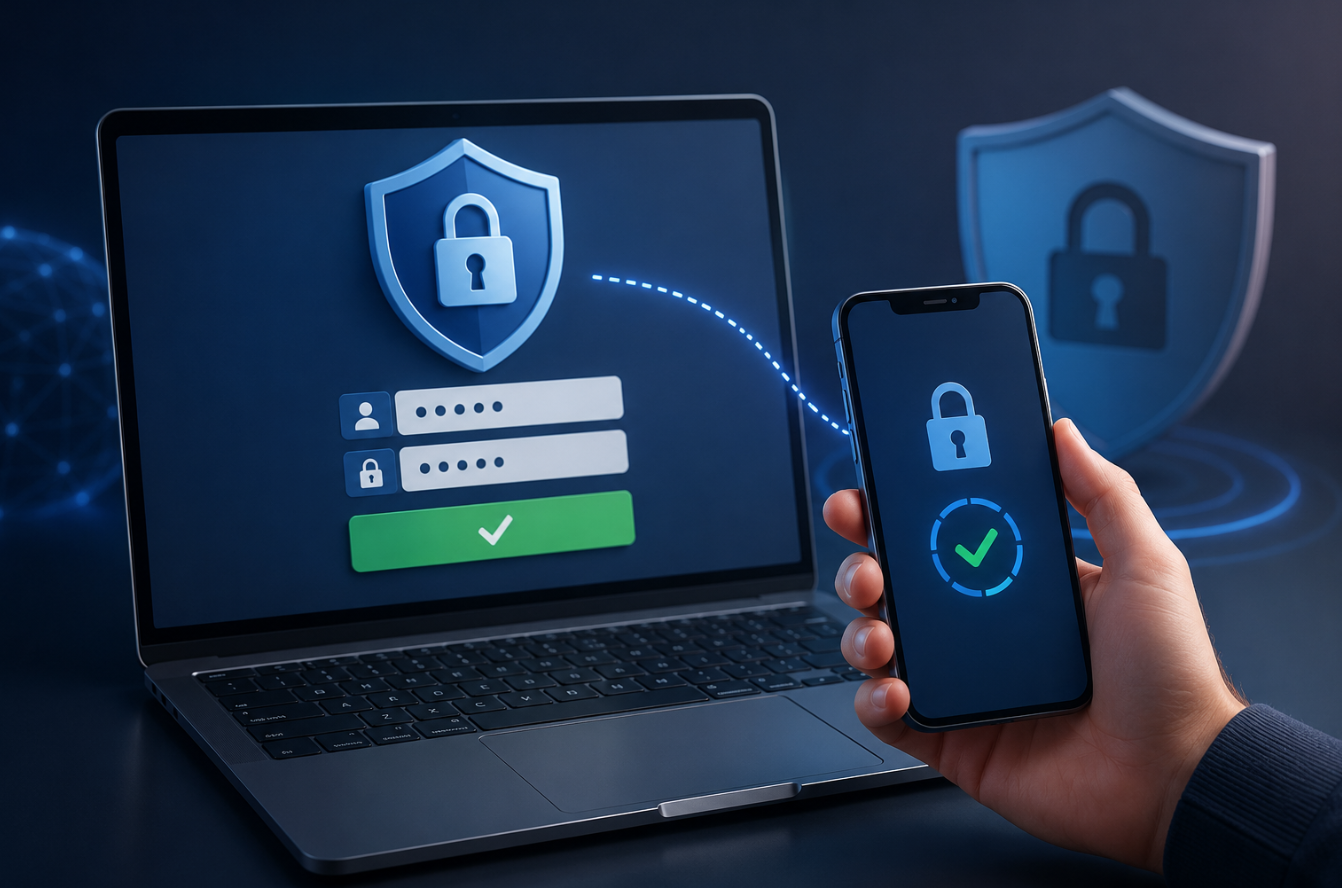
Cybercrime continues to grow every year, and passwords alone are no longer enough to keep your online accounts safe. Data breaches, phishing scams, and password-stealing malware have made it easier than ever for hackers to gain access to personal information. Even a strong password can become useless if it falls into the wrong hands.
That’s where Two-Factor Authentication (2FA) comes into play, one of the best tools to keep your accounts safe. It provides an additional security step, making it much harder for hackers to break into your accounts.
You may have seen websites asking you to enter a code sent to your phone after typing your password. Just adding this small step can be the key difference between your account being safe and it getting hacked.
This guide will explain what two-factor authentication (2FA) is, how it functions, why it’s crucial in 2026, and how you can implement it to strengthen your online security.
What Is Two-Factor Authentication (2FA)?
Two-step verification, or 2FA, is a security process that requires you to provide two different forms of proof before gaining access.
Traditionally, logging in required only a username and password. With 2FA enabled, you must provide an additional piece of information to prove that you are the legitimate account owner.
These two factors usually come from different categories:
Something You Know
This is typically your password or PIN.
Something You Have
This could be:
- A smartphone
- Security key
- Authentication app
- SMS verification code
Something You Are
Some systems use biometric verification such as:
- Fingerprints
- Face recognition
- Retina scans
Many online platforms pair your password with an additional verification step to boost security.
Why Passwords Alone Are No Longer Enough
For many years, passwords served as the primary defense against unauthorized access. Unfortunately, cybercriminals have become much more sophisticated.
Today, passwords can be stolen through:
- Data breaches
- Phishing emails
- Malware infections
- Fake login pages
- Public Wi-Fi attacks
- Password reuse across multiple sites
Many people unknowingly use weak passwords or reuse the same password on several accounts. If a website is hacked and your login details are stolen, hackers might try using those same credentials elsewhere.
This is exactly why cybersecurity experts strongly recommend enabling 2FA whenever possible.
Even if someone steals your password, they still need the second verification step to access your account.
How Does Two-Factor Authentication Work?
The process is straightforward.
Step 1: Enter Your Username and Password
You begin by logging into a website or app as usual.
Step 2: Verification Request
After your password is accepted, the system asks for a second form of verification.
This might be:
- A code sent by SMS
- A code generated by an authentication app
- A push notification
- A hardware security key
- A fingerprint scan
Step 3: Confirm Your Identity
You provide the requested verification.
If both factors match, access is granted.
If the second factor cannot be verified, the login attempt is denied.
This additional step creates a much stronger barrier against attackers.
Different Types of Two-Factor Authentication
Various types of 2FA offer different levels of security, with some being more reliable than others.
Let’s examine the most common options available today.
SMS Verification Codes
One of the most widely used forms of 2FA involves this particular method.
Once you type in your password, a temporary code is sent to your phone through SMS.
Advantages
- Easy to use
- Supported by many services
- No additional apps required
Disadvantages
- Vulnerable to SIM-swapping attacks
- Relies on cellular networks
Although using text messages for verification is an improvement over nothing, there are more secure options out there.
Authentication Apps
Authentication apps generate temporary codes that refresh every 30 to 60 seconds.
Popular examples include:
- Google Authenticator
- Microsoft Authenticator
- Authy
Advantages
- More secure than SMS
- Works offline
- Difficult for attackers to intercept
Disadvantages
- Requires app installation
- Device loss can create recovery challenges
For most users, authentication apps offer an excellent balance between security and convenience.
Push Notifications
Many services send a notification directly to your smartphone.
You simply tap “Approve” or “Deny.”
Advantages
- Fast and convenient
- No need to enter codes manually
Disadvantages
- Can be vulnerable to notification fatigue if users approve requests without checking
Hardware Security Keys
Hardware security keys are considered some of the safest ways to verify your identity.
Examples include USB and NFC security devices.
Advantages
- Extremely difficult to compromise
- Resistant to phishing attacks
Disadvantages
- Additional cost
- Must be carried with you
Security professionals often recommend hardware keys for highly sensitive accounts.
Biometric Authentication
Biometric verification uses unique physical characteristics.
Examples include:
- Face ID
- Fingerprint scanners
- Iris recognition
Advantages
- Fast and user-friendly
- Difficult to replicate
Disadvantages
- Not supported everywhere
- Privacy concerns for some users
Biometric authentication is increasingly common on smartphones and modern devices.
How Two-Factor Authentication Protects You
The main goal of 2FA is to stop unauthorized people from getting into your accounts.
Let’s look at some real-world scenarios.
Protection Against Stolen Passwords
Suppose a hacker obtains your password through a data breach.
Without 2FA, they could immediately access your account.
When 2FA is turned on, hackers must also have access to your second verification method to break in.
Using these keys greatly lowers the chances of someone successfully hacking into your account.
Defense Against Phishing Attacks
Phishing sites try to deceive users into revealing their login details.
If you unknowingly share your password, attackers still can’t access your account without the second verification step.
Improved Account Security
Many online services store sensitive information such as:
- Banking details
- Personal messages
- Work documents
- Photos
- Shopping accounts
2FA helps keep your login information safe from hackers trying to access your accounts illegally.
Reduced Identity Theft Risk
Identity theft often begins with compromised accounts.
Adding 2FA creates another barrier that criminals must overcome.
Where Should You Enable 2FA?
Whenever a platform provides 2FA, it’s highly recommended to activate it for added security.
Priority accounts include:
Email Accounts
Your email address is typically used as the recovery option if you need to regain access to your accounts.
Protecting it should be your top priority.
Banking and Financial Accounts
Accounts holding confidential or critical data must be protected with the highest level of security possible.
Social Media Accounts
Unauthorized access can damage your reputation and expose private information.
Cloud Storage Services
Many people store personal and professional files in cloud platforms.
Work Accounts
Business systems frequently contain valuable company data.
The more important the account, the more valuable 2FA becomes.
Common Myths About Two-Factor Authentication
Several misconceptions prevent people from enabling this important security feature.
Myth 1: Strong Passwords Are Enough
Even strong passwords can be stolen.
2FA adds protection after the password stage.
Myth 2: Hackers Won’t Target Me
Cybercriminals often use automated attacks targeting millions of accounts simultaneously.
Anyone can become a victim.
Myth 3: 2FA Is Too Complicated
Today’s authentication techniques are designed to be easy to use and straightforward.
Most users adapt within minutes.
Myth 4: 2FA Makes Accounts Impossible to Hack
While 2FA significantly improves security, no system is completely invulnerable.
However, it dramatically lowers your risk.
Best Practices for Using Two-Factor Authentication
To maximize your protection, follow these recommendations.
Use Authentication Apps When Possible
Authenticator apps generally provide stronger security than SMS verification.
Save Backup Codes
Many services provide emergency recovery codes.
Store them safely.
Keep Devices Updated
Regular software updates help prevent security vulnerabilities.
Avoid Approving Unknown Requests
Never approve authentication requests you didn’t initiate.
Enable 2FA on Your Most Important Accounts First
Start with email, banking, and cloud storage accounts.
Then expand to other services.
These habits strengthen your overall digital security.
The Future of Authentication
As cybersecurity threats evolve, authentication methods continue improving.
Emerging technologies include:
- Passwordless authentication
- Advanced biometrics
- Behavioral authentication
- Device-based verification
- Passkeys
Many experts believe passkeys may eventually replace traditional passwords entirely.
Even so, the principle behind two-factor authentication will remain important: verifying identity through multiple layers of security.
Conclusion
2FA is among the easiest and most powerful tools to safeguard your digital accounts. Asking for a second verification beyond just your password greatly reduces the chances of hackers gaining entry to your accounts.
In today’s digital world, where data breaches and phishing attacks are increasingly common, relying on passwords alone is no longer sufficient. Whether you use SMS codes, authentication apps, hardware security keys, or biometric verification, enabling 2FA adds a valuable layer of defense.
The few extra seconds required during login are a small price to pay for significantly improved security. If you haven’t enabled two-factor authentication yet, now is an excellent time to start.
- Read more about Techgili
Frequently Asked Questions
1. What is two-factor authentication in simple terms?
2FA is a security feature that demands both your password and a second proof of identity before allowing access.
2. Is two-factor authentication really necessary?
Absolutely. Using 2FA greatly lowers the risk of someone hacking into your account, even if they have your password.
3. Which is better: SMS or authentication apps?
Authentication applications are generally considered more secure because they are less vulnerable to risks such as SIM swapping attacks.
4. Can hackers bypass two-factor authentication?
While some advanced attacks exist, 2FA makes account compromise much more difficult and remains highly effective for most users.
5. What should I do if I lose my phone and have 2FA turned on?
Many services offer backup codes or recovery methods so you can still access your account if your phone is lost or stolen.
6. Should I enable 2FA on every account?
It’s highly recommended for important accounts such as email, banking, social media, cloud storage, and work-related services.