


A smart home rarely starts out smart. It usually begins with one color-changing bulb, then a video doorbell, then a plug for the coffee maker, until suddenly there are four different apps on your phone and none of them talk to each other.
A smart home hub solves that fragmentation by giving every device, regardless of brand, a single place to live and a single set of routines to follow.
This guide covers how to map your needs, pick a hub type, connect devices without headaches, and keep the whole setup secure once it is running, whether you are starting fresh with a single room or untangling a collection of devices that have piled up over several years of small purchases.
Mapping Out Your Smart Home Needs
Before buying a hub, take stock of what you already own and what you plan to add. A household with a handful of smart bulbs has very different requirements than one layering in locks, cameras, thermostats, and sensors across several rooms.
Walk through these questions as you plan:
- Current devices: List every smart device already installed, along with the brand and the app each one currently requires.
- Planned additions: Note devices you intend to add in the next year, since buying a hub that supports your future plans avoids a second purchase later.
- Wireless standards: Check whether your devices use Wi-Fi, Zigbee, Z-Wave, or the newer Matter standard, since hub compatibility depends heavily on this.
- Voice assistant preference: Decide whether you lean toward one voice assistant ecosystem, which can narrow your hub choice far less than it used to thanks to cross-compatible standards.
- Household size: Consider how many people need control, since multi-user access and guest permissions vary between hub platforms.
Once this list exists, patterns tend to emerge quickly. A household already invested in one ecosystem usually benefits from staying within it, while a mixed collection of brands points toward a more neutral, standards-based hub that treats every manufacturer roughly the same.
Renters Versus Homeowners
Renters should favor devices and hubs that install without permanent wiring, such as battery-powered sensors and plug-in smart outlets, since these can move to a new home without leaving marks behind. Homeowners have more freedom to choose hardwired options like in-wall switches, which often provide more reliable connections than battery-powered equivalents.
A renter who later buys a home does not lose the investment either, since most battery-powered and plug-in gear simply relocates to the new address and pairs again with a hub there, often in less time than the original setup took.
Budgeting for a Multi-Room Setup
Costs add up quickly once a smart home expands past a single room, and it helps to budget in stages rather than buying everything at once. Start with the room where automation saves the most daily effort, such as an entryway with a lock and doorbell, or a living room with lighting and climate control. Expanding room by room also gives you a chance to confirm a hub choice is working well before committing to a whole-house rollout, which matters since swapping a hub after dozens of devices are paired is far more tedious than swapping one after only a handful.
Types of Smart Home Hubs Available Today
Hubs generally fall into a few broad categories, each suited to different levels of involvement and technical comfort.
The main categories worth knowing include:
- Voice assistant speakers: Devices like a smart speaker that double as a basic hub, controlling compatible gadgets through voice commands and a companion app.
- Dedicated hub devices: Standalone boxes built specifically to bridge multiple wireless standards, often supporting Zigbee and Z-Wave devices that a simple speaker cannot reach directly.
- Router-integrated hubs: Mesh routers that include built-in smart home radios, combining networking and device control in one piece of hardware.
- Matter-based controllers: Newer hubs built around the Matter standard, designed to let devices from different brands work together without proprietary bridges.
- App-only software hubs: Platforms that run as software rather than a physical device, pulling compatible gadgets into one dashboard without extra hardware.
Each category has trade-offs. A voice assistant speaker is the easiest entry point but may lack support for less common wireless protocols, while a dedicated hub device demands a bit more setup but tends to support a wider device range over time.
What Matter Changes for Shoppers
The Matter standard, backed by a coalition of major manufacturers, aims to make brand loyalty less relevant when picking smart home gear. A Matter-certified lock, for instance, should work with a Matter-certified hub regardless of who made either device. Adoption is still uneven across product categories, so checking for the Matter logo on a box is a useful shortcut rather than a guarantee of flawless compatibility. Older devices purchased before the standard existed rarely gain Matter support through a simple update, so shoppers with an established collection of gear should treat the label as a forward-looking bonus rather than a reason to replace equipment that already works well.
Comparing Setup Complexity Before Buying
Some hubs are built for a quick out-of-box experience, walking a first-time user through pairing a handful of devices within minutes. Others assume more comfort with networking concepts, offering deeper customization in exchange for a steeper learning curve during initial setup.
Reading recent user reviews with an eye toward setup complaints, rather than just star ratings, gives a clearer picture of what the first weekend with a new hub will involve in practice.
Connecting Devices to Your Hub
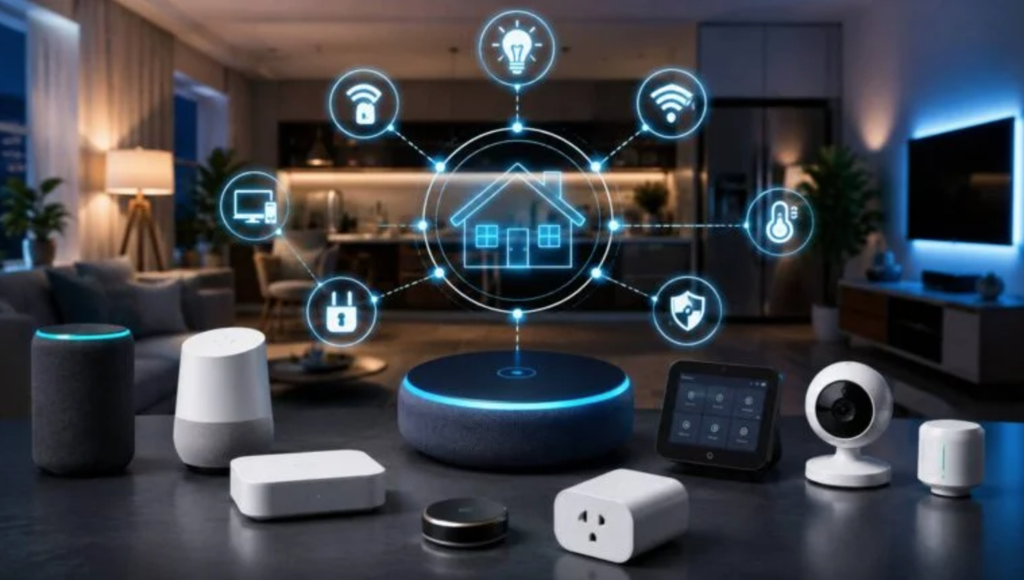
Once a hub is chosen, the process of adding devices follows a fairly predictable pattern, though specific steps vary slightly between brands.
A typical device-pairing sequence looks like this:
- Open the hub’s companion app and select the option to add a new device.
- Put the device into pairing mode, usually by holding a physical button for several seconds until a light blinks.
- Let the app search for and detect the nearby device automatically.
- Assign the device to a room and give it a clear, specific name that matches how you will refer to it out loud.
- Add the device to any relevant routines or groups, such as an evening lighting scene.
Naming devices clearly matters more than it might seem. A bulb labeled “Lamp 3” is far harder to control by voice than one labeled “Reading Lamp,” especially once a household has a dozen or more connected devices.
Grouping Devices Into Rooms and Scenes
Most hub apps let you organize devices by physical room and then layer scenes on top, such as a “Movie Night” scene that dims the lights and lowers the blinds with one command. Building these scenes early, rather than controlling every device individually every time, is where a smart home starts to feel truly convenient rather than just technically impressive.
Comparing Hub Ecosystems and Compatibility
The major ecosystems each have strengths worth weighing before committing hardware budget to one over another.
When comparing platforms, pay attention to:
- Device catalog size: Check how many third-party brands officially support the ecosystem, since a larger catalog gives more flexibility later.
- Local versus cloud control: Find out whether routines run locally on the hub or depend on an internet connection to a remote server, since local control keeps working during outages.
- Automation depth: Compare how advanced the automation rules can get, such as conditions based on time, location, or sensor triggers.
- Update frequency: Research how often the platform receives software updates, since smart home standards and security needs change quickly.
Switching ecosystems later is possible but tedious, since many devices need to be reset and re-paired from scratch. Spending extra time comparing options before the first purchase saves hours of reconfiguration down the line.
Reading Between the Lines on Marketing Claims
Marketing pages for every major ecosystem tend to describe themselves as the most open or the most compatible option available, which makes side-by-side research essential rather than optional. Independent reviews, community forums, and a manufacturer’s own published compatibility list tend to offer a far clearer picture than a glossy product page. Pay close attention to whether a claimed integration requires a paid subscription tier, since some platforms advertise broad compatibility that only fully applies once a household upgrades past the free plan.
Troubleshooting Common Connection Issues
Even a well-planned smart home setup runs into hiccups, usually tied to wireless interference, outdated firmware, or router settings rather than defective hardware.
Common issues and fixes include:
- Devices dropping offline: Often caused by Wi-Fi interference from other electronics, which can be reduced by switching your router to a less crowded channel.
- Slow automation response: Usually tied to too many devices relying on cloud processing, which a local hub can speed up by handling logic on-site.
- Pairing failures: Frequently resolved by moving the device closer to the hub during initial setup, then repositioning it once paired.
- App sync delays: Sometimes fixed simply by force-closing and reopening the companion app, which clears a stuck connection to the hub.
- Firmware mismatches: Addressed by checking for and installing pending updates on both the hub and the individual device before troubleshooting further.
Keeping a simple log of which device causes recurring trouble helps identify patterns, such as a specific brand of plug that consistently drops off the network during busy evening hours. Router placement plays a bigger role than most people assume as well; a router tucked inside a closet or behind a television often struggles to maintain a strong signal to devices in far corners of a home, and relocating it or adding a mesh extender frequently resolves what looks like a device problem at first glance.
When to Reset Versus Replace
A full factory reset solves most persistent connection problems and is worth attempting before assuming a device is broken. If a device still fails to hold a stable connection after a reset and firmware update, replacing it is usually more practical than spending additional hours chasing an intermittent fault. Keep a basic record of purchase dates and warranty periods for key devices, since a lock or camera that fails early is often better handled through a manufacturer replacement than a repeated cycle of resets and re-pairing attempts.
Keeping Your Smart Home Secure
Connected devices expand your household’s exposure to outside interference, so security deserves the same attention as convenience when building out a smart home.
Worthwhile security practices include:
- Separate guest networks: Running smart home devices on a dedicated network segment, isolated from computers and phones that handle sensitive information.
- Strong, unique Wi-Fi passwords: Avoiding default router credentials, which remain one of the most common entry points for unauthorized access.
- Regular firmware updates: Keeping both the hub and connected devices updated, since manufacturers routinely patch newly discovered vulnerabilities.
- Camera and microphone awareness: Reviewing which devices include a camera or microphone and disabling those features on units that do not need them active.
- Account access reviews: Periodically checking which family members, guests, or linked services still have access to hub controls.
A smart home built with these habits in place tends to run quietly and reliably, with security operating in the background rather than demanding constant attention.
Physical Security Still Matters
Smart locks and video doorbells get most of the security spotlight, but basic physical precautions remain just as relevant. A smart lock is still a mechanical lock underneath its electronics, so choosing a reputable brand with solid build quality matters as much as its connectivity features. Pair any smart lock with a traditional backup key stored somewhere safe, since a dead battery or a software glitch should never leave a household unable to open its own front door.
Final Thoughts
Building a smart home is less about buying the flashiest gadget and more about choosing a foundation that can grow with a household’s needs over several years. A smart home hub turns a scattered collection of single-purpose gadgets into one coordinated system, saving time on daily tasks and making automation truly useful rather than a novelty.
The right choice depends less on chasing the newest standard and more on matching a hub to the devices you already own and the ones you plan to add. Taking time upfront to map wireless standards, compare ecosystems, and plan for security pays off far more than rushing into the first bundle on a store shelf.
Once connected and organized into rooms and scenes, a smart home setup tends to fade into the background, doing its job quietly every single day, freeing up mental energy that used to go toward juggling four separate apps for four separate gadgets.
That quiet reliability, more than any single flashy feature, is usually the real reward for taking the time to plan a hub purchase carefully rather than grabbing whatever device happens to be on sale.
Read more about Techgili
Frequently Asked Questions
1. Do I need a dedicated hub if I only have a few smart devices?
Not necessarily. A handful of Wi-Fi-based devices, such as a couple of smart plugs and a bulb, can often run directly through their own apps or a voice assistant speaker without a dedicated hub. A separate hub becomes more valuable once you add devices using Zigbee, Z-Wave, or other protocols that a basic speaker cannot bridge directly, or once you want more advanced automation logic than a simple app-based schedule can offer.
2. Can I mix devices from different brands on one hub?
Yes, this is one of the main reasons hubs exist. Most modern hubs, especially those supporting the Matter standard, are built specifically to bring together devices from different manufacturers into one control system, though some older or proprietary devices may still require their own app alongside the hub. Checking a manufacturer’s compatibility page before buying remains the most reliable way to confirm a specific device will join the hub cleanly rather than discovering a gap after the purchase is already made.
3. What happens to my smart home if the internet goes out?
This depends on the hub and specific devices involved. Hubs that process automation locally will usually keep basic routines running, such as motion-triggered lights, while features relying on cloud processing, like voice assistant requests, typically stop working until the connection returns. Households in areas with frequent outages or unreliable internet service should treat local processing support as a priority feature rather than a nice extra when comparing hubs.
4. Is it safe to control smart locks remotely?
Smart locks from reputable manufacturers use encrypted connections and typically require a second verification step for remote unlocking, making them reasonably safe for everyday use. As with any connected device, keeping the lock’s firmware updated and using a strong account password remains an important part of that safety, alongside reviewing the access log periodically to confirm every recorded unlock matches someone who should have had access at that time.
5. How many devices can a typical hub support?
This varies widely by platform, with many consumer hubs comfortably supporting well over a hundred devices before performance becomes a concern. Most households reach practical limits around budget and installation effort long before they approach a hub’s technical device ceiling, so device count rarely needs to be a deciding factor when comparing mainstream options.
6. Will buying a new hub make my existing devices obsolete?
Rarely, since most hubs are designed to work alongside existing devices rather than replace them outright. Before purchasing, check the new hub’s compatibility list against your current devices to confirm they will integrate rather than needing separate apps running in parallel, and keep in mind that a brief transition period with two apps open is normal while routines and scenes get rebuilt on the new platform.