


Cloud computing has changed the way businesses store data, operate applications, and deliver digital services. However, moving workloads to the cloud does not automatically protect an organization from downtime, cyberattacks, accidental deletion, hardware failures, or natural disasters. This is where cloud disaster recovery becomes essential.
Disaster recovery in cloud computing is the process of using cloud infrastructure, services, and technologies to restore applications, systems, and data after a disruptive event. A well-designed cloud disaster recovery strategy helps businesses minimize downtime, protect critical information, maintain operations, and recover quickly when something goes wrong.
For modern businesses that depend on digital systems, disaster recovery is no longer an optional IT feature. It is a core part of business continuity, cybersecurity, risk management, and long-term resilience.
What Is Disaster Recovery in Cloud Computing?
Disaster recovery in cloud computing is a strategy that allows an organization to recover its IT infrastructure, applications, databases, and business data using cloud-based resources after a failure or disaster.
Instead of depending entirely on physical backup servers inside an office or data center, businesses can replicate critical resources to cloud environments. When the primary environment becomes unavailable, the organization can restore systems from those cloud-based copies or switch operations to a secondary cloud environment.
A cloud disaster recovery plan may include:
- Data backups
- Application replication
- Virtual machine recovery
- Cloud-based storage
- Automated recovery processes
- Backup databases
- Failover environments
- Disaster recovery testing
- Recovery monitoring
The goal is simple: restore essential business operations as quickly and reliably as possible.
Why Cloud Disaster Recovery Matters
Businesses can experience disruptions for many reasons. A server can fail, ransomware can encrypt files, an employee can accidentally delete important information, or a regional disaster can make an office unavailable.
Without an effective recovery plan, even a short outage can result in lost revenue, unhappy customers, missed deadlines, and damaged reputation.
Cloud disaster recovery gives organizations a structured way to respond.
Rather than deciding what to do during a crisis, we establish recovery procedures before an incident occurs. This preparation can significantly reduce confusion and shorten recovery time.
Common Causes of Business Disasters
A disaster does not always mean a major natural catastrophe. Many recovery incidents begin with ordinary technical or human problems.
Hardware Failure
Servers, storage devices, networking equipment, and other hardware can fail unexpectedly. If critical applications depend on a single physical system, hardware failure can immediately interrupt operations.
Cloud-based recovery copies can provide an alternative environment from which systems can be restored.
Cyberattacks and Ransomware
Cybersecurity incidents are among the most serious threats facing modern organizations. Ransomware can make business files and systems inaccessible, while other attacks can compromise or destroy data.
A properly designed recovery strategy can provide protected backup copies and recovery points that help organizations restore operations without relying entirely on compromised production systems.
Human Error
Accidental deletion, incorrect configurations, software changes, and administrative mistakes can cause significant problems.
Cloud backup and versioning capabilities can help us recover information that was accidentally modified or deleted.
Natural Disasters
Floods, fires, earthquakes, storms, and other environmental events can damage physical infrastructure.
Cloud disaster recovery can provide geographic separation between production systems and recovery resources, reducing dependence on a single physical location.
Software and Configuration Failures
A faulty update or incorrect configuration can make an application unavailable. Recovery systems allow businesses to restore a known working version when appropriate.
How Cloud Disaster Recovery Works
A typical cloud disaster recovery architecture begins by identifying critical business applications and data.
We then determine how frequently that information should be backed up or replicated. Depending on business requirements, data may be copied continuously, periodically, or according to a predefined schedule.
When a disruption occurs, the recovery process generally follows several stages:
- Detect the incident.
- Assess the impact.
- Activate the disaster recovery plan.
- Restore or fail over critical systems.
- Verify applications and data.
- Resume normal business operations.
- Investigate the incident.
- Improve the recovery strategy.
Automation can make these processes faster and more consistent.
Key Cloud Disaster Recovery Concepts
Understanding several important recovery metrics helps us design an effective strategy.
Recovery Time Objective (RTO)
Recovery Time Objective (RTO) defines how quickly a system or application should be restored after an outage.
For example, if an application’s RTO is two hours, the recovery plan should aim to restore that application within two hours of the disruption.
Mission-critical systems generally require shorter RTOs than less important applications.
Recovery Point Objective (RPO)
Recovery Point Objective (RPO) defines how much data loss an organization can tolerate, measured in time.
Suppose an organization has an RPO of 15 minutes. Its recovery strategy should aim to ensure that no more than approximately 15 minutes of data is lost following a major incident.
Lower RPO requirements usually require more frequent replication or backup processes.
Failover
Failover is the process of moving operations from a failed primary environment to a secondary environment.
The secondary environment may be hosted in another cloud region, availability zone, data center, or infrastructure platform.
Failback
Once the original environment has been repaired and verified, failback involves returning workloads from the recovery environment to the primary environment.
A complete disaster recovery plan should address both failover and failback.
Major Types of Cloud Disaster Recovery
Different businesses require different recovery architectures.
Backup and Restore
Backup and restore is one of the simplest approaches. Critical data is periodically copied to cloud storage and restored when necessary.
This method can be cost-effective, but recovery may take longer because applications and infrastructure must be rebuilt or restored.
Pilot Light
With a pilot light strategy, a minimal version of the critical infrastructure remains available in the recovery environment. Additional resources are activated when a disaster occurs.
This approach can provide faster recovery than traditional backup and restore while controlling ongoing costs.
Warm Standby
A warm standby environment keeps a more complete version of the production infrastructure running in the cloud.
Because many components are already available, recovery can happen faster than with a basic backup strategy.
Hot Standby
A hot standby environment maintains a highly available recovery environment that closely mirrors production.
This approach can deliver very low recovery times but generally requires greater investment in infrastructure, replication, monitoring, and operations.
Benefits of Cloud Disaster Recovery
Cloud disaster recovery provides several important advantages.
Reduced Downtime
The faster critical systems can be recovered, the less disruption a business experiences.
For organizations that depend on websites, applications, online transactions, or digital communication, minimizing downtime can have a direct impact on revenue.
Better Data Protection
Cloud recovery solutions can provide multiple copies of important information. Features such as encryption, access controls, versioning, and backup policies can further strengthen protection.
Lower Infrastructure Costs
Traditional disaster recovery can require organizations to purchase and maintain duplicate physical servers, storage systems, networking equipment, and facilities.
Cloud infrastructure can reduce the need for large upfront investments by allowing businesses to use resources according to their recovery requirements.
Scalability
Cloud platforms make it easier to increase or decrease computing and storage resources.
A small business may require only a modest recovery environment, while a larger organization may need extensive infrastructure. Cloud resources can accommodate different requirements.
Geographic Redundancy
Keeping recovery resources in a different geographic location can reduce the risk of a single event affecting both production and recovery systems.
Faster Deployment
Cloud infrastructure can often be provisioned and configured more rapidly than physical infrastructure.
Infrastructure-as-code and automation can further accelerate recovery operations.
Cloud Disaster Recovery vs. Cloud Backup
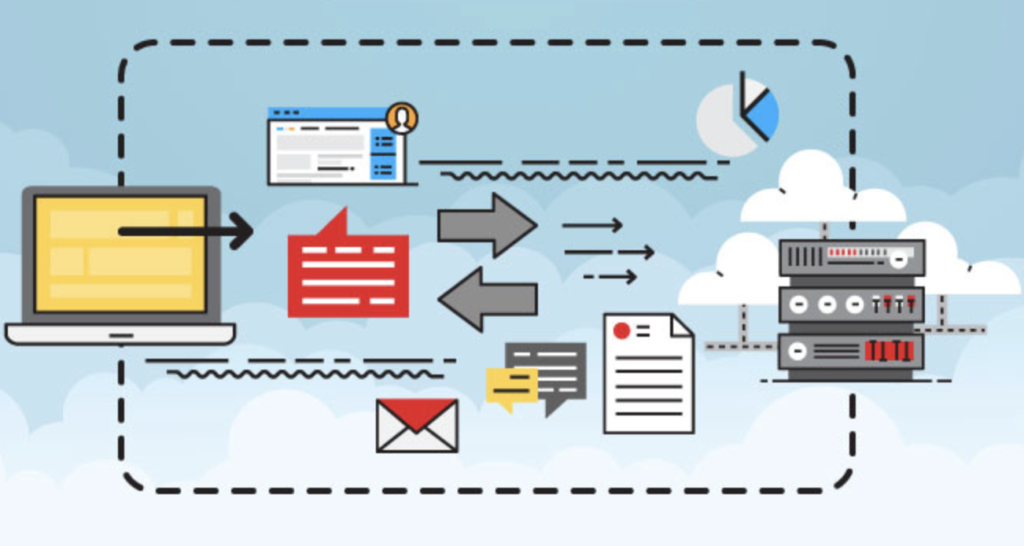
Cloud backup and cloud disaster recovery are related but not identical.
Cloud backup primarily focuses on creating copies of data that can be restored later.
Cloud disaster recovery is broader. It focuses on restoring the complete technology environment required to continue business operations.
For example, recovering a database backup may restore the information, but the organization may still need servers, applications, networking, authentication, and configurations before employees can resume normal work.
A mature strategy may therefore use cloud backups as one component of a broader disaster recovery architecture.
How to Build a Cloud Disaster Recovery Plan
A strong disaster recovery plan begins with business requirements rather than technology alone.
1. Identify Critical Systems
We first determine which applications, databases, services, and files are essential to business operations.
Not every workload requires the same recovery priority.
2. Perform a Risk Assessment
We identify potential threats and determine how each threat could affect business operations.
This assessment should consider cybersecurity incidents, infrastructure failures, human error, application problems, and physical disasters.
3. Define RTO and RPO
Each critical workload should have appropriate RTO and RPO targets.
These targets help determine the technologies, architecture, and budget required for recovery.
4. Choose a Recovery Architecture
We can select backup and restore, pilot light, warm standby, hot standby, or another architecture based on business requirements.
5. Protect Backup Data
Backups should be protected from unauthorized access and accidental deletion. Organizations should consider encryption, access controls, retention policies, and isolated or immutable recovery copies where appropriate.
6. Automate Recovery
Recovering data or systems manually often takes a lot of time and increases the likelihood of mistakes.
Automation can help standardize infrastructure deployment, configuration, application startup, and verification procedures.
7. Test the Plan
A disaster recovery plan that has never been tested may fail when it is needed most.
Regular testing helps identify missing dependencies, incorrect configurations, outdated documentation, and unrealistic recovery targets.
Why Disaster Recovery Testing Is Essential
Testing is one of the most important parts of cloud disaster recovery.
We should not assume that backups are usable simply because backup jobs report successful completion. Recovery must be verified.
A disaster recovery test can determine whether:
- Backups can actually be restored
- Applications start correctly
- Databases contain usable information
- Network dependencies work
- Access permissions are correct
- Recovery targets can be achieved
- Employees understand their responsibilities
Testing also gives technical teams practical experience before a real emergency occurs.
Security Considerations for Cloud Disaster Recovery
Disaster recovery and cybersecurity should work together.
Recovery environments can become targets if attackers know that they contain backup data. Businesses should therefore apply strong security controls.
Important measures include:
- Multi-factor authentication
- Least-privilege access
- Encryption
- Strong identity management
- Network segmentation
- Backup monitoring
- Immutable or protected backups where appropriate
- Regular security testing
- Detailed audit logging
We should also ensure that recovery credentials cannot be easily compromised through the same attack that affected the production environment.
Cloud Disaster Recovery for Small Businesses
Cloud disaster recovery is not limited to large enterprises.
Small businesses can benefit significantly because they often have fewer resources available to replace failed systems manually.
A small company may not have a second physical data center or a dedicated disaster recovery team. Cloud services can provide access to backup storage and recovery infrastructure without requiring the organization to build a complete secondary facility.
The strategy should remain proportional to the business. A small company does not necessarily need an expensive hot standby environment for every application.
Instead, we can prioritize the systems that are most important and develop recovery procedures around realistic business requirements.
Common Cloud Disaster Recovery Mistakes
Several mistakes can weaken an otherwise promising recovery strategy.
Relying on a Single Backup
One backup copy may not be enough. If that copy becomes corrupted, deleted, or compromised, recovery may become difficult.
Never Testing Recovery
A backup strategy without recovery testing creates uncertainty.
Ignoring Application Dependencies
Applications often depend on databases, APIs, authentication systems, DNS, networking, storage, and other services. Recovering one component may not restore the complete application.
Using the Same Credentials Everywhere
If attackers compromise production credentials, they may also gain access to recovery resources.
Failing to Document Procedures
During an emergency, employees need clear instructions. Documentation should explain who activates the plan, which systems are recovered first, and how recovery is verified.
Best Practices for Cloud Disaster Recovery
To build a resilient recovery strategy, we should follow several best practices:
- Prioritize critical workloads.
- Define realistic RTO and RPO targets.
- Maintain multiple recovery copies.
- Protect backups from unauthorized modification.
- Separate recovery access from everyday administrative access.
- Automate repetitive recovery tasks.
- Monitor backup and replication processes.
- Test recovery procedures regularly.
- Document responsibilities clearly.
- Update the plan whenever infrastructure changes.
Disaster recovery should be treated as an ongoing business process rather than a one-time IT project.
The Future of Cloud Disaster Recovery
Cloud disaster recovery continues to evolve as businesses adopt more distributed architectures, containers, serverless applications, artificial intelligence, and multi-cloud environments.
Automation is becoming increasingly important. Modern recovery platforms can detect failures, replicate workloads, provision infrastructure, and execute predefined recovery workflows with less manual intervention.
At the same time, cybersecurity threats are increasing the importance of isolated backups, identity protection, continuous monitoring, and rapid recovery capabilities.
Organizations are also moving toward more resilient architectures in which applications are designed from the beginning to tolerate infrastructure failures rather than simply recover from them.
Final Thoughts
Disaster recovery in cloud computing provides businesses with a structured way to protect operations when technology failures or disruptive events occur. By combining cloud storage, replication, automation, geographic redundancy, security controls, and regular testing, organizations can significantly improve their ability to recover from incidents.
The most effective strategy begins by understanding which systems matter most, how much downtime the business can tolerate, and how much data it can afford to lose.
A strong cloud disaster recovery plan does more than restore files. It helps restore the business itself.
For organizations increasingly dependent on digital infrastructure, investing in cloud disaster recovery is an investment in operational resilience, customer trust, data protection, and long-term business continuity.