

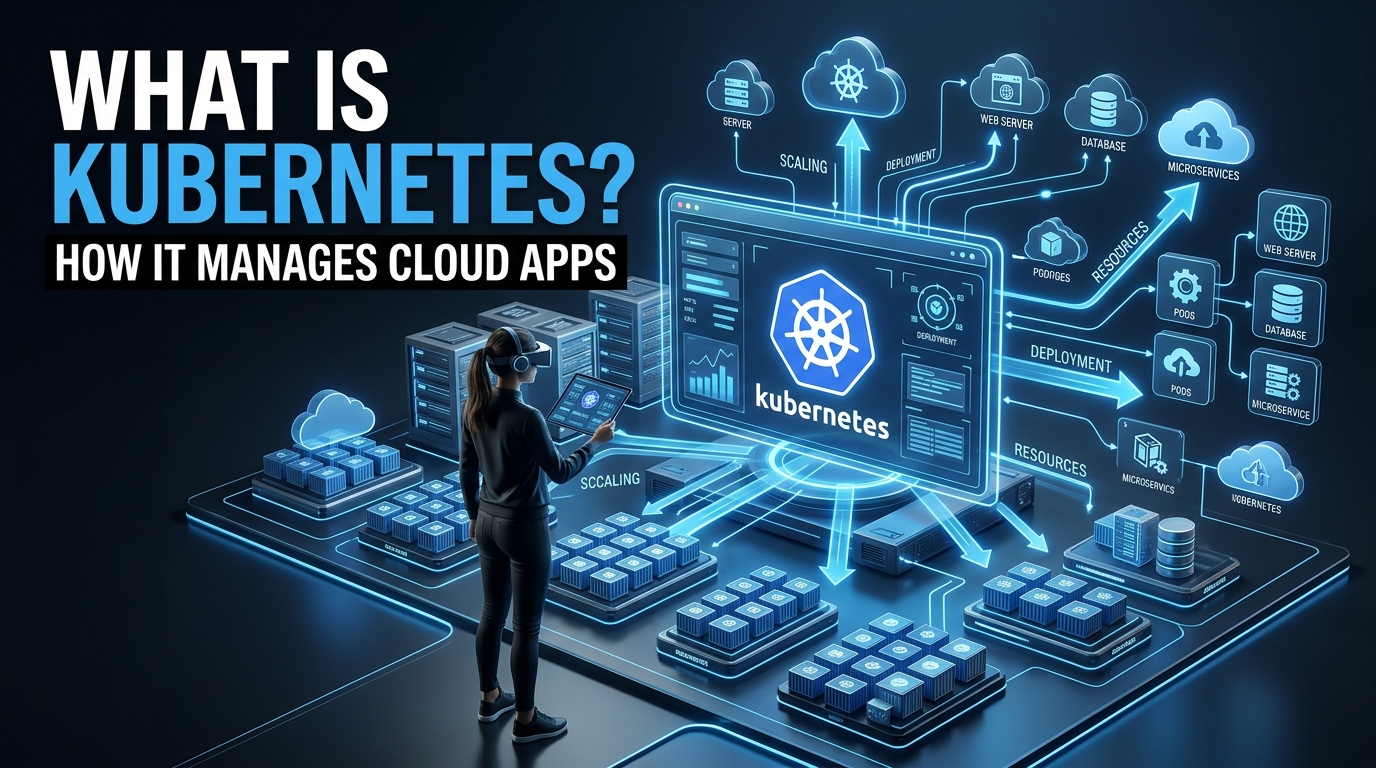
Modern applications are rarely as simple as uploading a few files to one server. A growing application may use multiple services, containers, databases, APIs, and cloud servers.
Managing all of these components manually can quickly become difficult.
This is where Kubernetes comes in.
Kubernetes is a platform that helps businesses deploy, manage, scale, and maintain containerized applications. Instead of manually deciding where every application should run, restarting failed services, or adding more servers during heavy traffic, Kubernetes can automate much of this work.
It has become one of the most important technologies in modern cloud computing.
In this guide, you will learn what Kubernetes is, how it works, and why companies use it to manage cloud applications.
What Is Kubernetes?
Kubernetes is an open-source container orchestration platform.
In simple terms, it helps manage applications that run inside containers.
A container packages an application together with the files, libraries, and dependencies it needs to run. This makes it easier to move the application between different environments.
For example, an application can be packaged into a container and run in:
- A local development environment
- A private data center
- A public cloud
- Multiple cloud providers
However, managing a few containers is very different from managing hundreds or thousands of them.
Kubernetes helps automate that process.
It can decide where containers should run, restart them if they fail, distribute traffic, and add or remove resources based on demand.
Why Was Kubernetes Created?
Before containers became popular, applications were often installed directly on physical or virtual servers.
This created several challenges.
Different applications could require different software versions or dependencies. One application might affect another, making environments difficult to manage.
Containers helped solve this problem by isolating applications and packaging their dependencies.
But containers introduced a new challenge.
What happens when an organization has hundreds of containers running across many servers?
Someone needs to:
- Deploy them
- Monitor them
- Restart failed containers
- Scale them during traffic spikes
- Connect them to networks
- Manage updates
- Balance traffic
Doing this manually would be inefficient.
Kubernetes was designed to automate many of these operational tasks.
How Does Kubernetes Work?
Kubernetes works by managing a group of machines, often called a cluster.
The cluster contains two major areas:
The Control Plane
The control plane makes decisions about the cluster.
It helps determine:
- Where applications should run
- Which containers should be restarted
- How many copies of an application should exist
- How resources should be allocated
Think of the control plane as the management system.
Worker Nodes
Worker nodes are the machines where applications actually run.
A node can be a physical server or a virtual machine.
Kubernetes distributes workloads across available nodes based on the configuration and available resources.
This creates a system that can manage applications across multiple machines instead of relying on a single server.
What Is a Pod in Kubernetes?
A Pod is one of the basic building blocks of Kubernetes.
A Pod represents one or more containers that run together.
For example, an application container might run alongside another container that handles logging or monitoring.
Kubernetes manages Pods rather than treating every individual container as a completely separate unit.
If a Pod fails, Kubernetes can create a replacement based on the desired configuration.
This helps applications remain available.
What Is a Kubernetes Deployment?
A Deployment tells Kubernetes how an application should run.
For example, you might tell Kubernetes:
- Run three copies of my application.
- Use this container image.
- Replace failed instances automatically.
- Update the application gradually.
Kubernetes continuously works to maintain the desired state.
If you requested three copies but one fails, Kubernetes can create another one.
This idea is called desired state management.
Instead of constantly giving Kubernetes individual instructions, you describe the result you want.
Kubernetes then works to keep the system as close to that desired state as possible.
How Kubernetes Manages Cloud Applications
Kubernetes is especially useful for cloud applications because cloud environments can change quickly.
Traffic may increase suddenly. Servers may fail. Applications may need frequent updates.
Kubernetes helps manage these situations.
1. Automated Deployment
Kubernetes can automate application deployment.
Instead of manually configuring each server, developers can define how the application should run.
Kubernetes then schedules the workload across available infrastructure.
This makes deployments more consistent.
2. Self-Healing
One of the most useful Kubernetes features is self-healing.
If a container or Pod fails, Kubernetes can detect the problem and attempt to restore the desired state.
Depending on the configuration, it may:
- Restart a failed container
- Replace a failed Pod
- Move workloads to another node
- Remove unhealthy instances from traffic
This reduces the need for manual intervention.
However, Kubernetes is not magic. The application still needs proper monitoring and configuration.
3. Automatic Scaling
Application traffic is not always predictable.
An online store might receive a large number of visitors during a sale. A news website may experience a sudden traffic spike after publishing an important story.
Kubernetes can support scaling by increasing or decreasing the number of application instances.
For example:
Normal traffic: 3 application instances
High traffic: 10 application instances
Traffic decreases: Return to 3 instances
This allows infrastructure to adapt to demand.
4. Load Balancing
When multiple copies of an application are running, incoming traffic needs to be distributed.
Kubernetes provides mechanisms that help route traffic to the appropriate workloads.
This improves availability and prevents a single instance from handling all requests.
Load balancing is especially important for applications with large numbers of users.
5. Rolling Updates
Updating an application can be risky.
If you immediately replace every running version with a new version, a problem in the update could affect all users.
Kubernetes can support rolling updates.
Instead of replacing everything at once, it can gradually introduce the new version.
For example:
- Replace one instance.
- Check that it is running correctly.
- Replace additional instances.
- Continue until the update is complete.
If a serious problem appears, a rollback strategy may help restore a previous version.
Why Kubernetes Is Important for Cloud Computing
Cloud technology provides companies with adaptable and scalable computing resources.
However, flexibility also creates complexity.
Applications may run across:
- Multiple virtual machines
- Different availability zones
- Private cloud environments
- Public cloud providers
- Hybrid infrastructure
Kubernetes provides a consistent way to manage containerized applications across these environments.
This makes it valuable for organizations that want portability and automation.
Instead of building completely different deployment processes for every environment, teams can use Kubernetes as a common orchestration layer.
Kubernetes and Microservices
Kubernetes is often associated with microservices.
A traditional application may contain everything inside one large code base.
A microservices architecture divides an application into smaller services.
For instance, an online shopping site could have distinct services such as:
- User authentication
- Product search
- Payments
- Orders
- Notifications
Each service can potentially be deployed and scaled independently.
Kubernetes helps manage these distributed services.
However, microservices also increase operational complexity.
Kubernetes can help organize and automate the infrastructure, but teams still need to manage communication, security, monitoring, and data between services.
Kubernetes vs Docker
Kubernetes and Docker are often mentioned together, but they solve different problems.
Docker became widely known for helping developers create and run containers.
Kubernetes focuses on managing containerized workloads at scale.
A simple way to understand the difference is:
Container technology: Packages an application.
Kubernetes: Helps manage many containerized applications across multiple machines.
You can think of containers as individual packages and Kubernetes as the system that helps organize and operate large numbers of those packages.
Key Benefits of Kubernetes
Better Scalability
Kubernetes can help applications adapt to changing workloads.
Instead of manually starting new servers during high traffic, configured systems can scale workloads more efficiently.
Improved Reliability
If part of the infrastructure fails, Kubernetes can help restore workloads according to the desired configuration.
This can improve application availability.
More Efficient Resource Usage
Kubernetes schedules workloads based on available resources.
This can help organizations use infrastructure more efficiently.
However, poor configuration can also lead to wasted resources, so proper monitoring remains important.
Consistent Deployments
Kubernetes allows teams to define application configurations in a consistent way.
This can reduce differences between development, testing, and production environments.
Portability
Kubernetes can run in different infrastructure environments, making it useful for organizations that need flexibility.
Common Kubernetes Components
Here are some important Kubernetes concepts beginners should understand.
Cluster
A group of machines managed by Kubernetes.
Node
An individual machine within the cluster.
Pod
A deployable unit that can contain one or more containers.
Deployment
Defines how an application should be deployed and maintained.
Service
Provides a stable way to access an application running inside the cluster.
Namespace
Helps organize resources within a Kubernetes cluster.
ConfigMap
Stores non-sensitive configuration information.
Secret
Stores sensitive configuration data that applications may need, such as credentials.
Understanding these basic components makes Kubernetes much easier to learn.
Is Kubernetes Difficult to Learn?
Kubernetes has a reputation for being complicated.
That reputation is understandable.
To use Kubernetes effectively, you may eventually need to understand:
- Containers
- Networking
- YAML configuration
- Cloud infrastructure
- Storage
- Security
- Monitoring
- Application deployment
For beginners, learning everything at once can be overwhelming.
The best approach is to start with the fundamentals.
First, understand containers.
Then learn what a cluster, node, Pod, and Deployment are.
After that, explore networking, storage, scaling, and security.
Building small projects is often more useful than only reading documentation.
Common Challenges of Kubernetes
Kubernetes provides powerful automation, but it also introduces complexity.
Complex Setup
Managing your own Kubernetes infrastructure can require significant knowledge.
Many organizations use managed Kubernetes services to reduce this burden.
Security Configuration
A poorly configured Kubernetes environment can create security risks.
Teams need to carefully manage:
- Access permissions
- Secrets
- Network policies
- Container security
- Software updates
Monitoring
A distributed application can be difficult to troubleshoot.
Teams need visibility into:
- Application logs
- Resource usage
- Network traffic
- Errors
- Performance
Monitoring is an important part of running Kubernetes successfully.
Cost Management
Kubernetes can make scaling easier, but inefficient resource configuration can increase cloud costs.
Unused capacity, oversized workloads, and unnecessary services can waste money.
This is why organizations need to monitor both performance and infrastructure spending.
Who Should Use Kubernetes?
Kubernetes can be useful for:
- Software companies
- SaaS businesses
- Large web applications
- Organizations using microservices
- Businesses with complex cloud infrastructure
- Teams that need automated deployment and scaling
However, not every website needs Kubernetes.
A small personal blog or simple business website may be easier and cheaper to run using traditional hosting.
Kubernetes makes the most sense when the benefits of orchestration outweigh the additional complexity.
How Beginners Can Start Learning Kubernetes
A simple learning path could look like this:
Step 1: Learn Containers
Understand why containers are used and how applications are packaged.
Step 2: Learn Basic Kubernetes Objects
Focus on:
- Pods
- Deployments
- Services
- Nodes
Step 3: Deploy a Simple Application
Start with a small application.
Deploy it to a Kubernetes environment and observe what happens when you scale or update it.
Step 4: Learn Configuration Files
Kubernetes commonly uses configuration files to define the desired state of applications.
Learning the basic structure of these files will help you understand how Kubernetes works.
Step 5: Explore Advanced Topics
Later, learn about:
- Autoscaling
- Persistent storage
- Ingress
- Security
- Monitoring
- CI/CD pipelines
Taking one step at a time makes Kubernetes much less intimidating.
The Future of Kubernetes
Cloud applications are becoming increasingly distributed.
Businesses want applications that can scale, recover from failures, and run across different environments.
Kubernetes has become an important part of this modern infrastructure approach.
Its ecosystem continues to support areas such as:
- Cloud-native development
- Automation
- Microservices
- DevOps
- Platform engineering
- AI and data workloads
However, Kubernetes is not automatically the best solution for every project.
The technology should solve a real infrastructure problem.
For some businesses, a simpler platform may be more efficient.
Final Thoughts
Kubernetes is a powerful platform for managing containerized cloud applications.
It helps automate tasks such as deployment, scaling, load balancing, and recovery from failures.
The basic idea is simple: you describe how your application should run, and Kubernetes works to maintain that desired state.
For businesses managing many containers across multiple servers, this automation can be extremely valuable.
But Kubernetes also requires planning, configuration, security, and monitoring.
If you are new to cloud computing, start with the basics. Learn how containers work, understand Pods and Deployments, and gradually explore more advanced concepts.
Once you understand the fundamentals, Kubernetes becomes easier to see for what it really is: a powerful system designed to help modern applications run more reliably in complex cloud environments.